Environment Variables in Databricks Serverless
The same job, copied three times
Every data team has this job. It runs in dev, staging and prod, so someone cloned it three times and changed a few values in each copy. Then a fix lands in one copy and not the others, and prod quietly runs different logic than staging.
What that costs you
Copied jobs drift. Drift means a change that passed testing behaves differently in production, and you find out from a stakeholder instead of a test. Add API tokens pasted into notebooks or committed to Git, and a configuration shortcut becomes a security review.
The fix: environment variables on serverless jobs
Databricks now lets you define named sets of environment variables on a serverless job and assign each task the set it needs. One job definition, different settings per task, and your code never changes.

One distinction matters up front. Job parameters are for inputs that change every run, like the date or country to process. Environment variables are for settings that describe where and how the job runs, like APP_ENV or LOG_LEVEL. Parameters don't become environment variables, so os.getenv() won't see them. Use both: a parameter picks the country, a variable sets the log level.
Classic vs Serverless
You can use environment variables on both classic and serverless compute, but you set them differently:
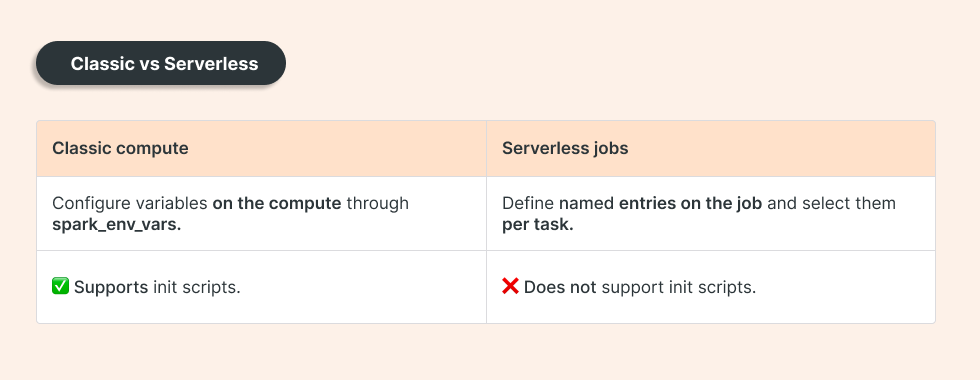
Python reads both the same way, through os.environ or os.getenv, so moving a job between the two doesn't touch your code. This post covers the serverless side. If your job depends on init scripts, it belongs on classic compute.
How it works
Start with inline values in your bundle's databricks.yml:
resources:
  jobs:
    env_demo:
      environment_variables:
        - environment_variables_key: app_config
          spec:
            variables:
              APP_ENV: development
              LOG_LEVEL: INFO
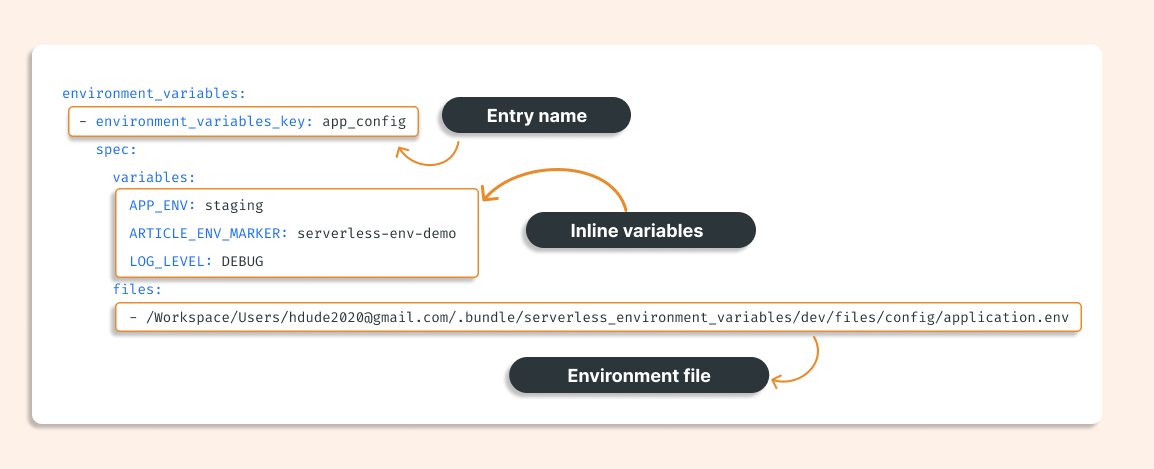
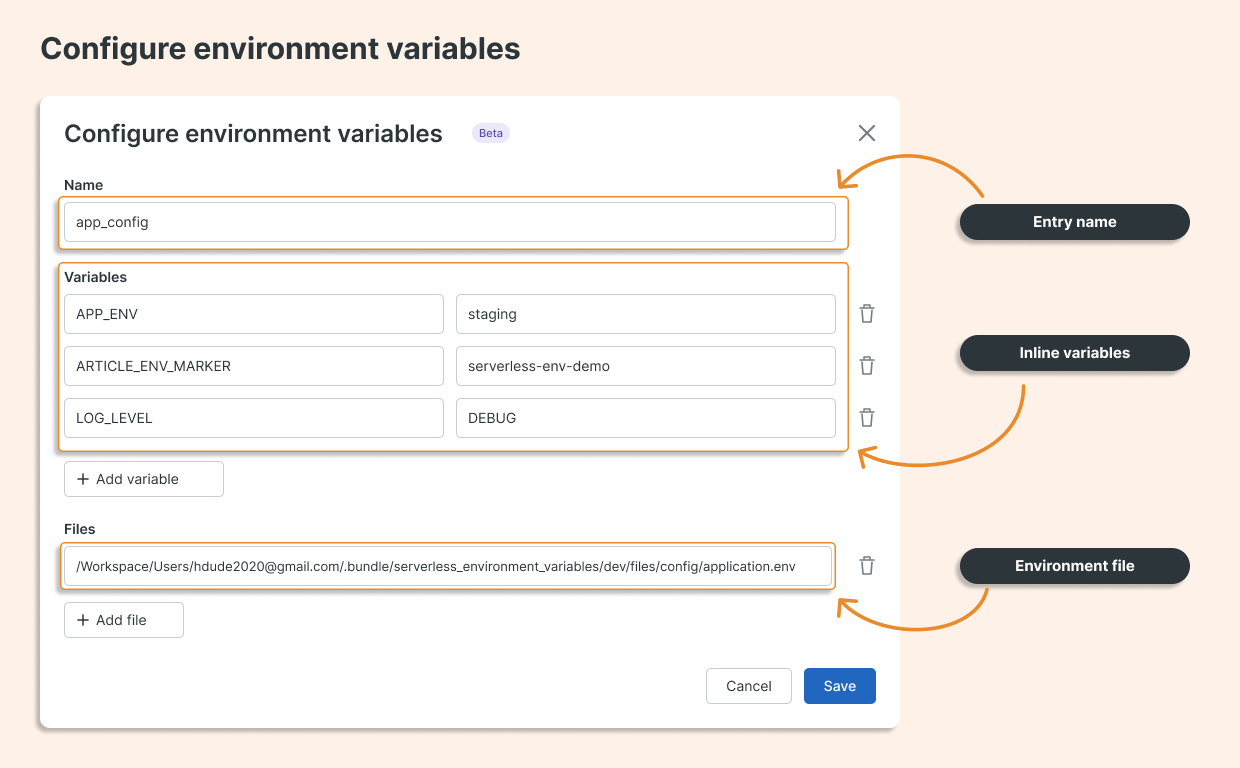
app_config is the entry name. APP_ENV and LOG_LEVEL are the variables your code reads.
For shared settings, point an entry at a file. Create config/application.env:
APP_ENV=from-file
FILE_ONLY=loaded-from-file
LOG_LEVEL=WARNING
Then add the entry:
- environment_variables_key: file_config
  spec:
    files:
      - ${workspace.file_path}/config/application.env
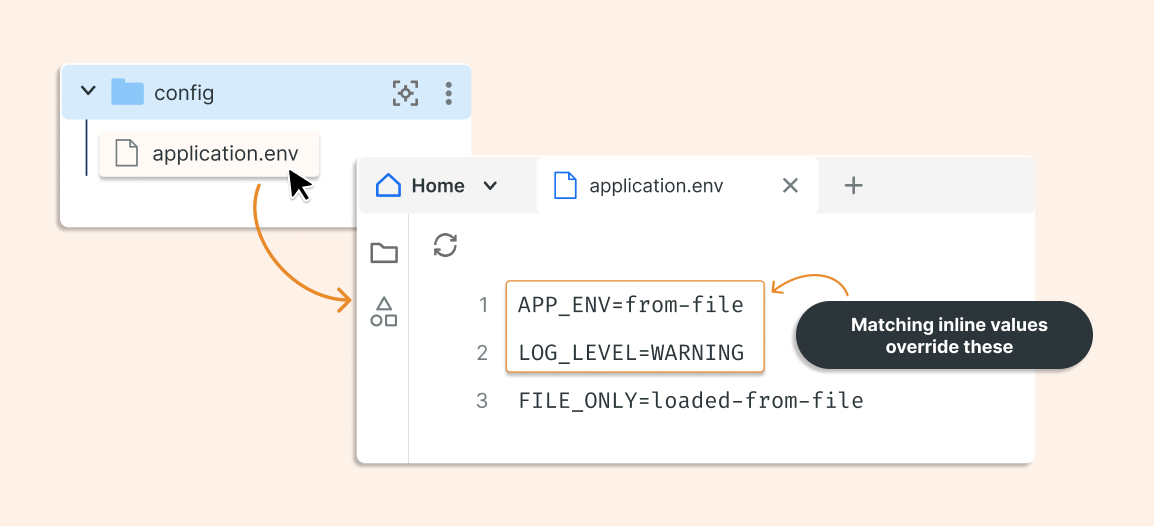
You can also combine both. Inline values win over file values, so a shared file can hold the baseline and each entry overrides only what differs:
- environment_variables_key: combined_config
  spec:
    variables:
      APP_ENV: staging
      LOG_LEVEL: DEBUG
    files:
      - ${workspace.file_path}/config/application.env
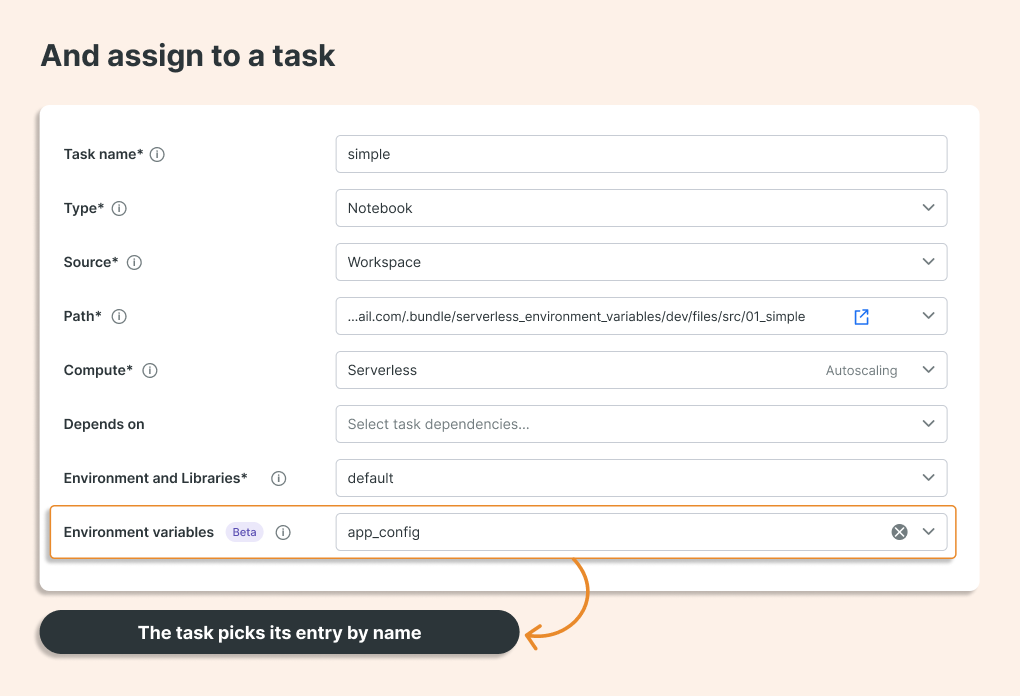
Defining an entry doesn't apply it anywhere. Each task opts in with environment_variables_key:
environments:
  - environment_key: default
    spec:
      environment_version: "5"

tasks:
  - task_key: inline_variables
    environment_key: default
    environment_variables_key: app_config
    notebook_task:
      notebook_path: ./src/01_simple.py

  - task_key: file_variables
    environment_key: default
    environment_variables_key: file_config
    notebook_task:
      notebook_path: ./src/01_simple.py

  - task_key: file_with_overrides
    environment_key: default
    environment_variables_key: combined_config
    notebook_task:
      notebook_path: ./src/01_simple.py
Same notebook, three tasks, three configurations:
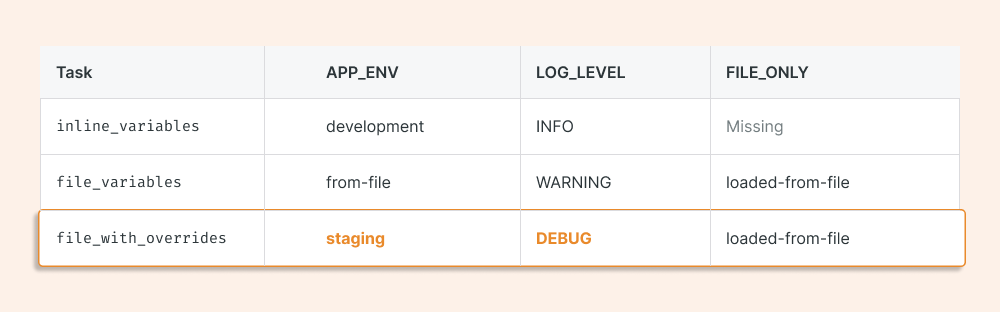
In Python, read them the standard way:
import os

app_env = os.environ["APP_ENV"]             # required: fails loudly if missing
log_level = os.getenv("LOG_LEVEL", "INFO")  # optional: falls back to a default
file_only = os.getenv("FILE_ONLY")          # returns None if missing
Use os.environ[...] for settings the job can't run without. A missing value should stop the run, not produce a wrong result. For larger projects, read everything once in a small app_settings.py module and import it, so no other file touches os.environ. Convert strings to the types you need there too, for example int(os.getenv("BATCH_SIZE", "500")).
Editing through the UI
Not using bundles? You can configure the same entries in the job settings. Name is the identifier tasks select, Variables holds inline key-value pairs, and Files holds the paths to your environment files.
Secrets belong here too
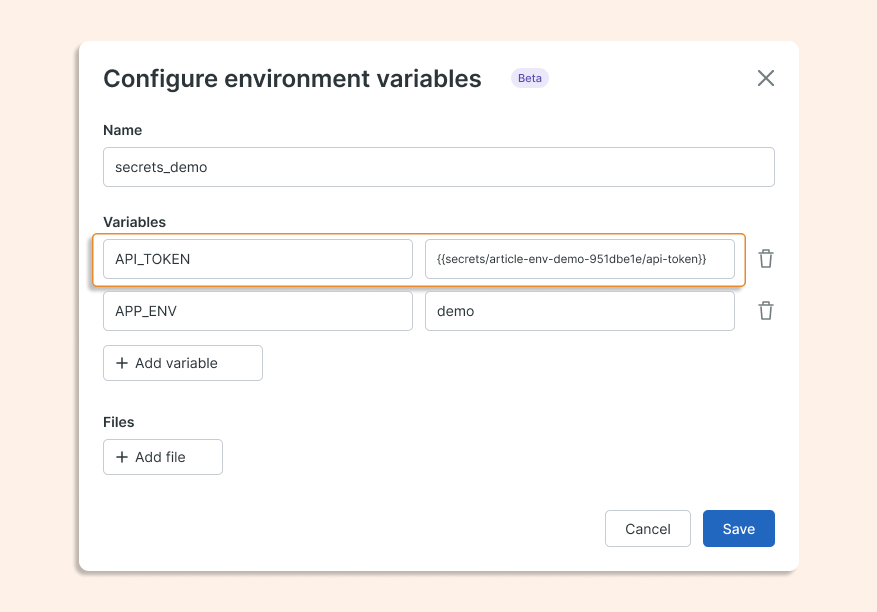
Secrets that don't change every run, like an API token, can be referenced instead of pasted:
API_TOKEN: "{{secrets/article-env-demo-951dbe1e/api-token}}"
Your code reads the resolved value from os.environ["API_TOKEN"], and the raw token never appears in YAML, .env files or Git.
What to know before you adopt it
Four limits shape the decision:
Serverless only, environment version 5 or higher. Nothing in this post applies to classic compute.
Hard caps: 10 entries per job, 20 inline variables and 5 files per entry. If you're near those, the configuration is probably too big.
One entry per task, no inheritance. Shared settings go in a shared file, not a parent entry.
Task process only. Spark UDFs can't see these variables, so pass values into UDFs explicitly.
Test with the job's Run as identity. Your own notebook access doesn't prove the job can read the file or secret.
What you get
One job definition instead of three. Differences between environments live in a few small, reviewable entries, so promoting from dev to prod is a config change, not a code change. Secrets stay out of source control.
TL;DR
Define configuration once on the job, then select an entry per task, using inline values, a file, or both. Inline wins.
Job parameters change per run. Environment variables describe where the job runs.
Reference secrets instead of pasting them, and test with the job's Run as identity.