Automatic Change Data Feed (CDF) is here to save space, improve write time, and feed Change Data Capture (CDC)
"Teams should be able to use table changes without asking an administrator to enable a separate feed. Automatic CDF makes this possible on supported Delta and managed Iceberg tables while reducing the write overhead of legacy CDF."
— Elizabeth Bowman, Product - Databricks
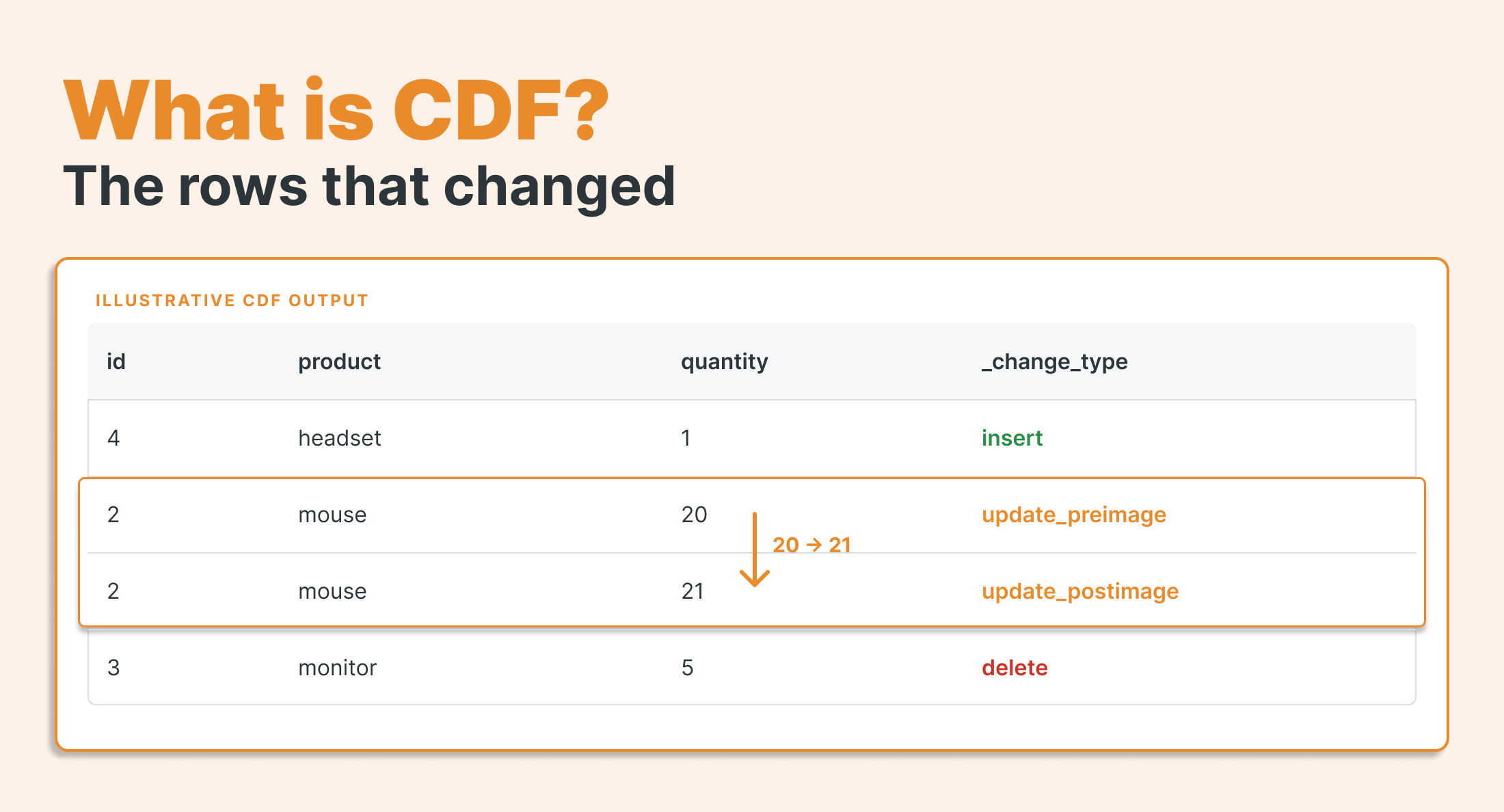
What is CDF
Change data capture (CDC) tracks inserts, updates, and deletes in a source system. A change data feed (CDF) exposes those changes as rows that downstream jobs can process. An automatic CDF produces that feed from retained table history when you read it. In recent years, it has become best practice and an industry standard for incremental ingestion from non-append-only data, as it can track inserts, updates, and deletes in an incremental log.
The dark side of CDF
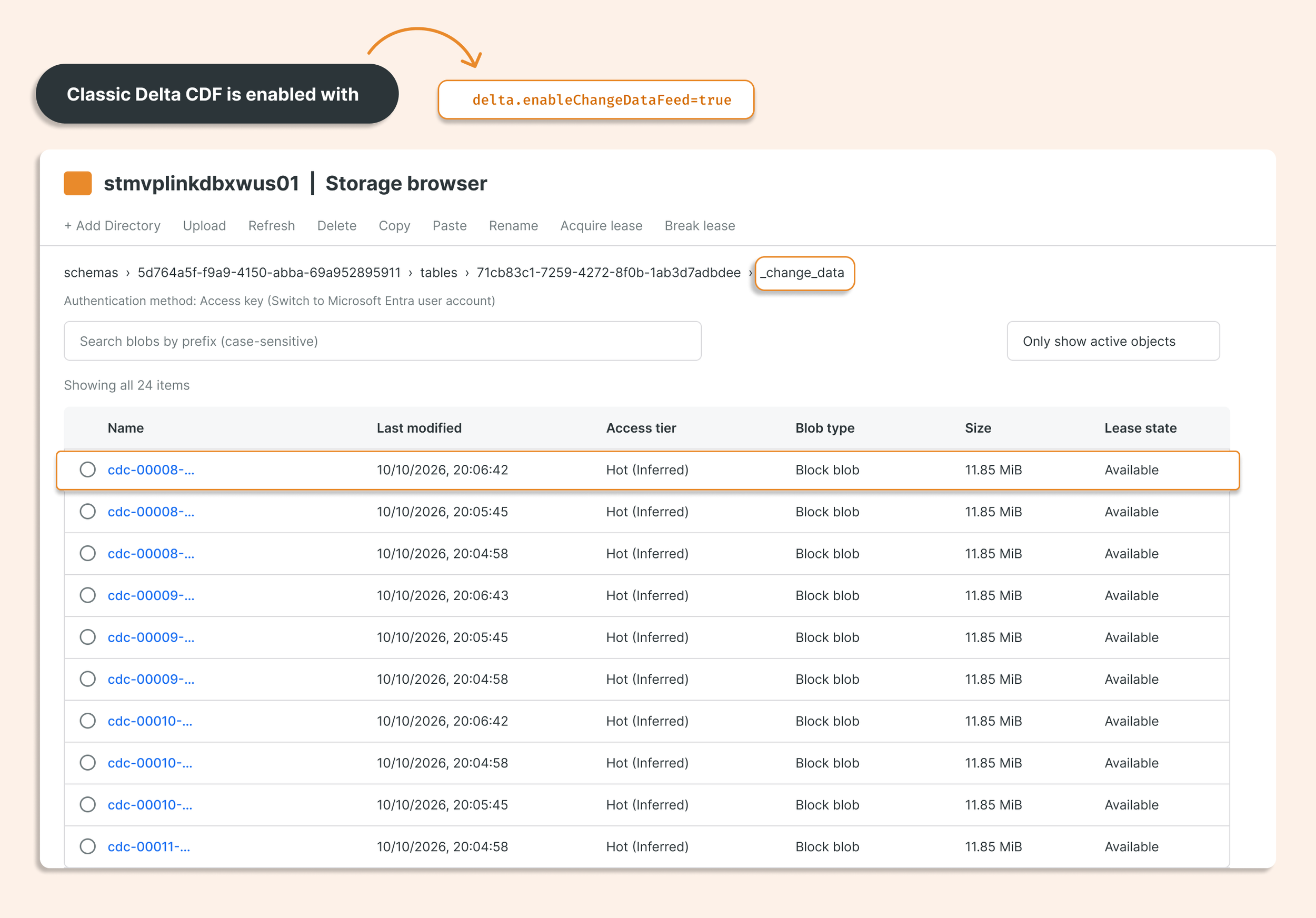
One thing that is really annoying in many data platforms, including the Delta format, is that all information related to Change Data Feed is stored as a change log, which produces a huge amount of data to store operations, including repeating data that is already in the database (as the whole record is stored in each version). __change_data folder with Parquets required a lot of storage and added write time; reads may have been faster for ingestion, but it didn’t justify the extra write time and enormous data size. It also opposed the delta concept used in the Delta format: instead of storing only differences, it stored everything and duplicated what is in the real delta between versions in Delta history.
Classic Delta CDF is enabled with delta.enableChangeDataFeed=true
Automatic CDF
Delta has supported row tracking and time travel for some time. From Databricks Runtime 19, automatic CDF uses row tracking and table history to calculate changes when you read them.
You no longer need to set delta.enableChangeDataFeed = true. If a supported table already has row tracking enabled and you have read access, you can read its changes without asking the table admin to enable legacy CDF. This also avoids the extra change files and write work that legacy CDF can create.
Automatic CDF also works with managed Iceberg v3 tables.
Let’s look at how it works, step by step.
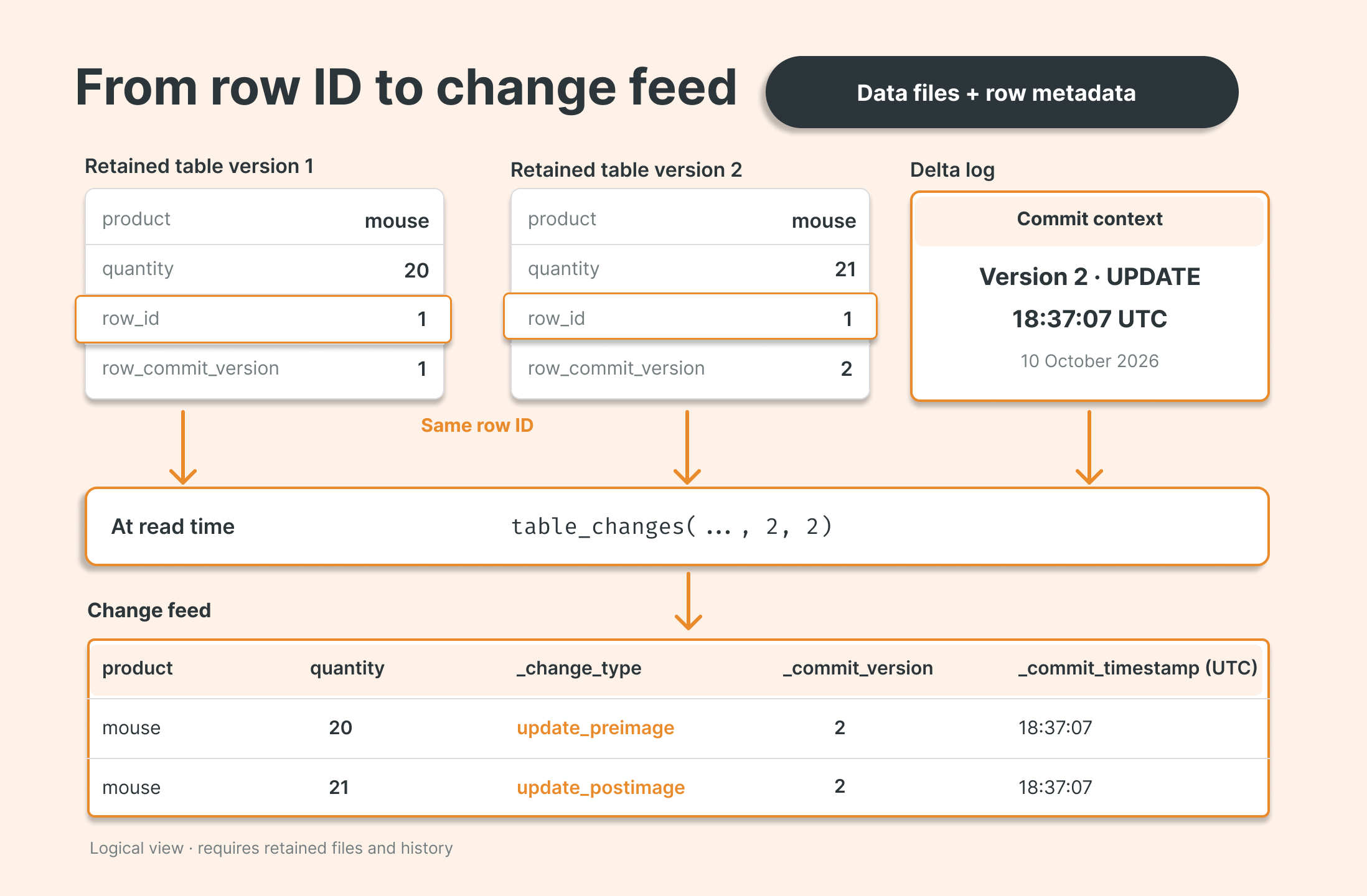
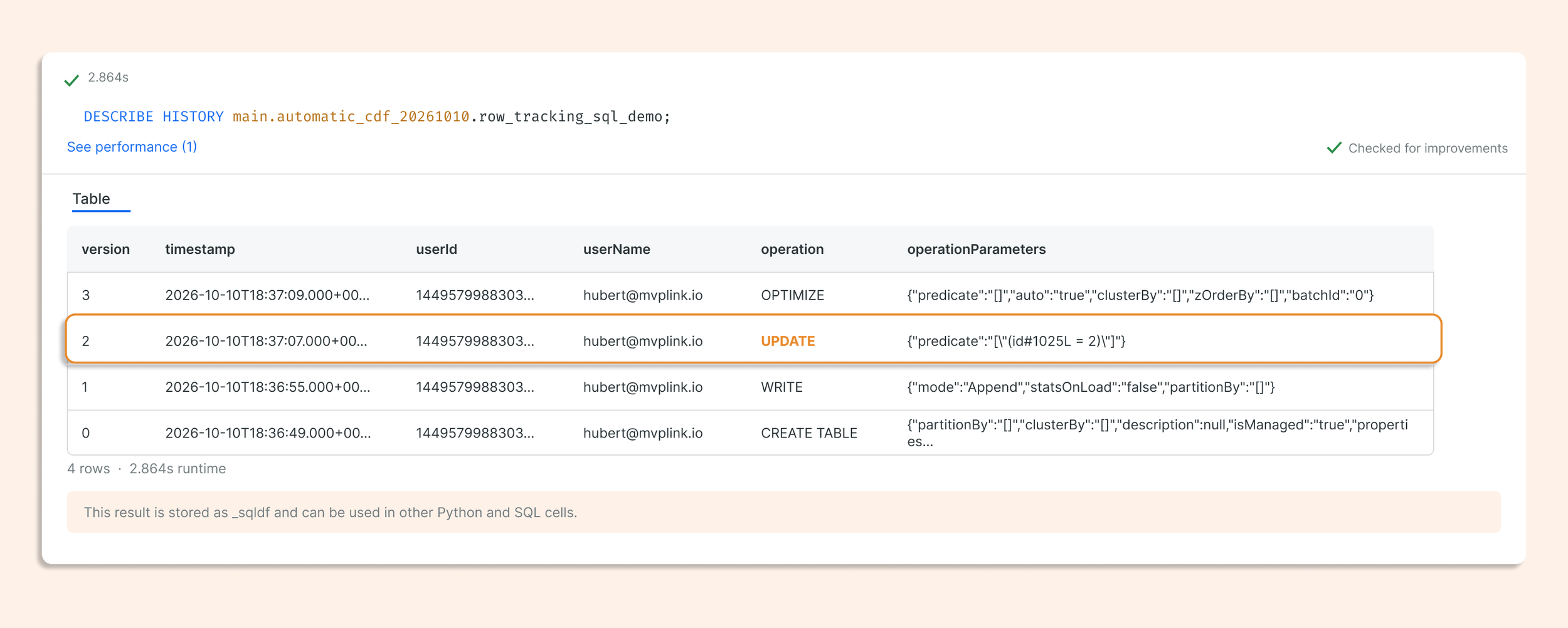
Table History
Use DESCRIBE HISTORY to see table versions and operations. We can always travel back between versions till they are not VACUUMed and compare versions. Here we can see that in Version 2 we performed an update.
Give each row a stable identity.
Row tracking adds two useful metadata fields. They describe a row's identity and last insert or update; they are not replacements for your business key.
metadata.rowid stays with a row across updates.
metadata.rowcommit_version identifies the table version that last inserted or updated it.
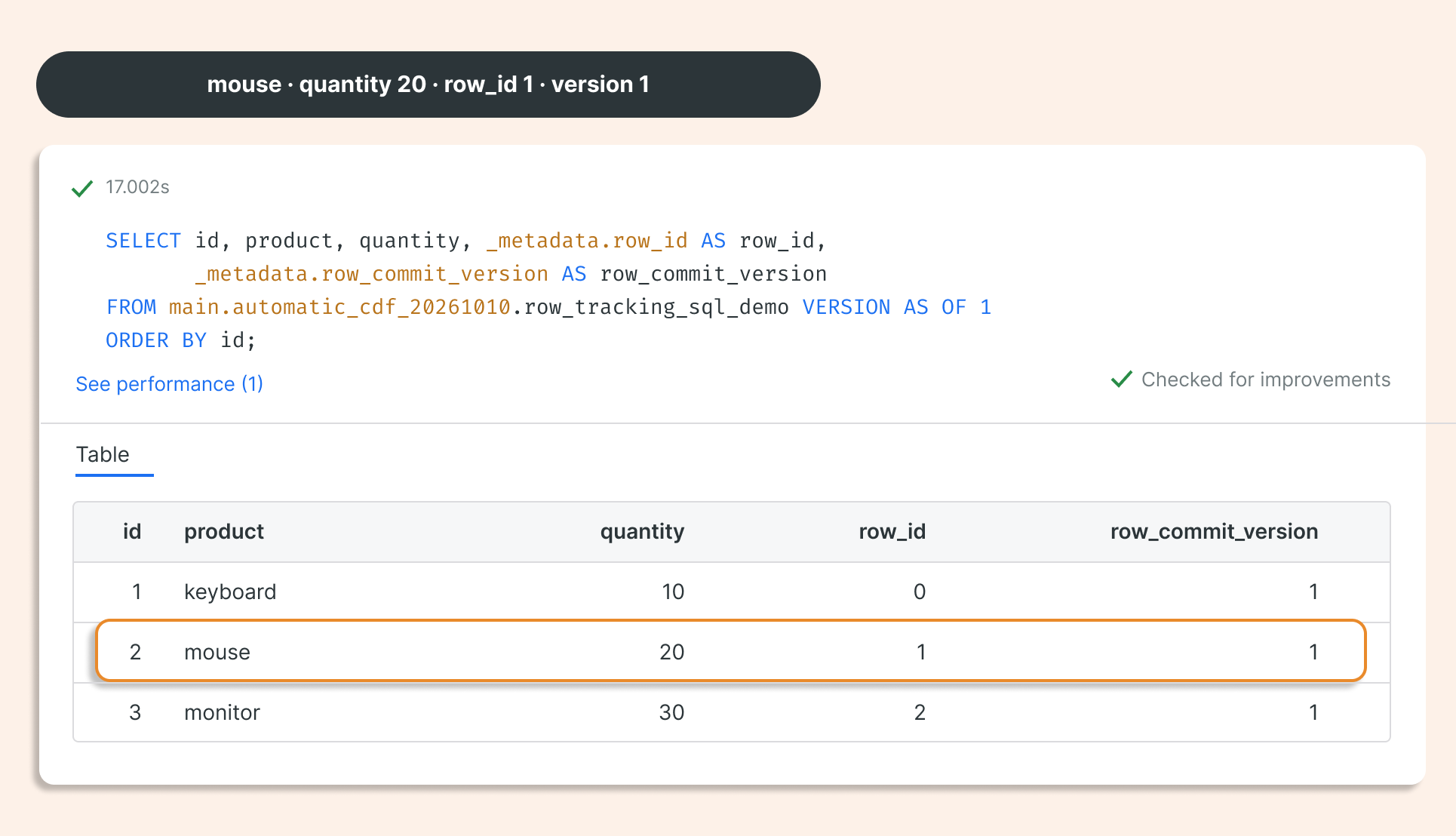
The demo reads the same table at two retained versions. At version 1, mouse quantity is 20, row ID is 1, and the row commit version is 1.
SELECT id, product, quantity,
      _metadata.row_id AS row_id,
      _metadata.row_commit_version AS row_commit_version
FROM automatic_cdf VERSION AS OF 1
ORDER BY id;
We can see that the quantity of mice is 20 in version 1.
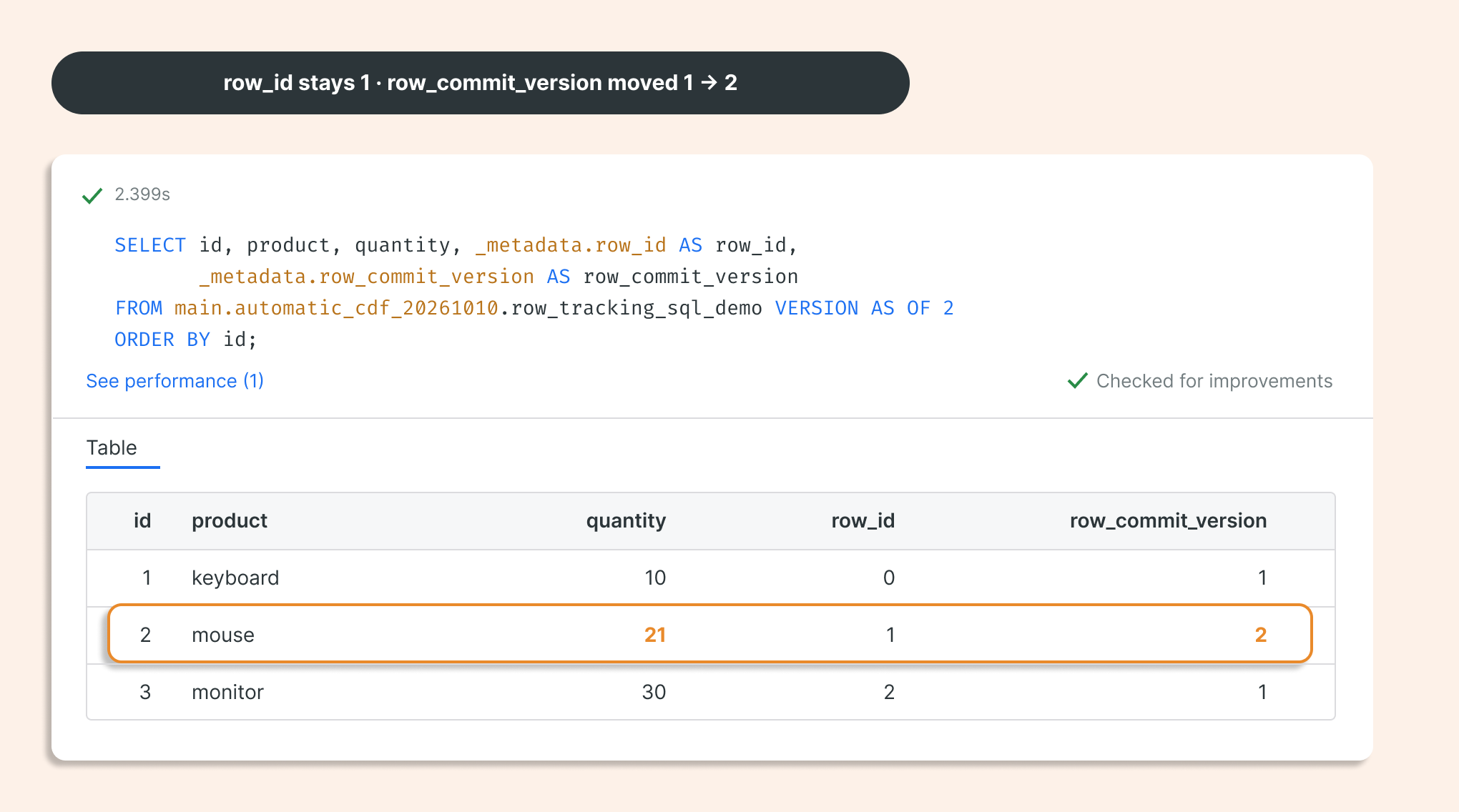
At version 2, the mouse quantity is 21. Its row ID is still 1, while its row commit version has advanced to 2.
Conceptually, stable identity connects the old and new row values across retained versions. Automatic CDF can use row metadata, retained table files, and transaction history to return the changes.
Automatic CDF output
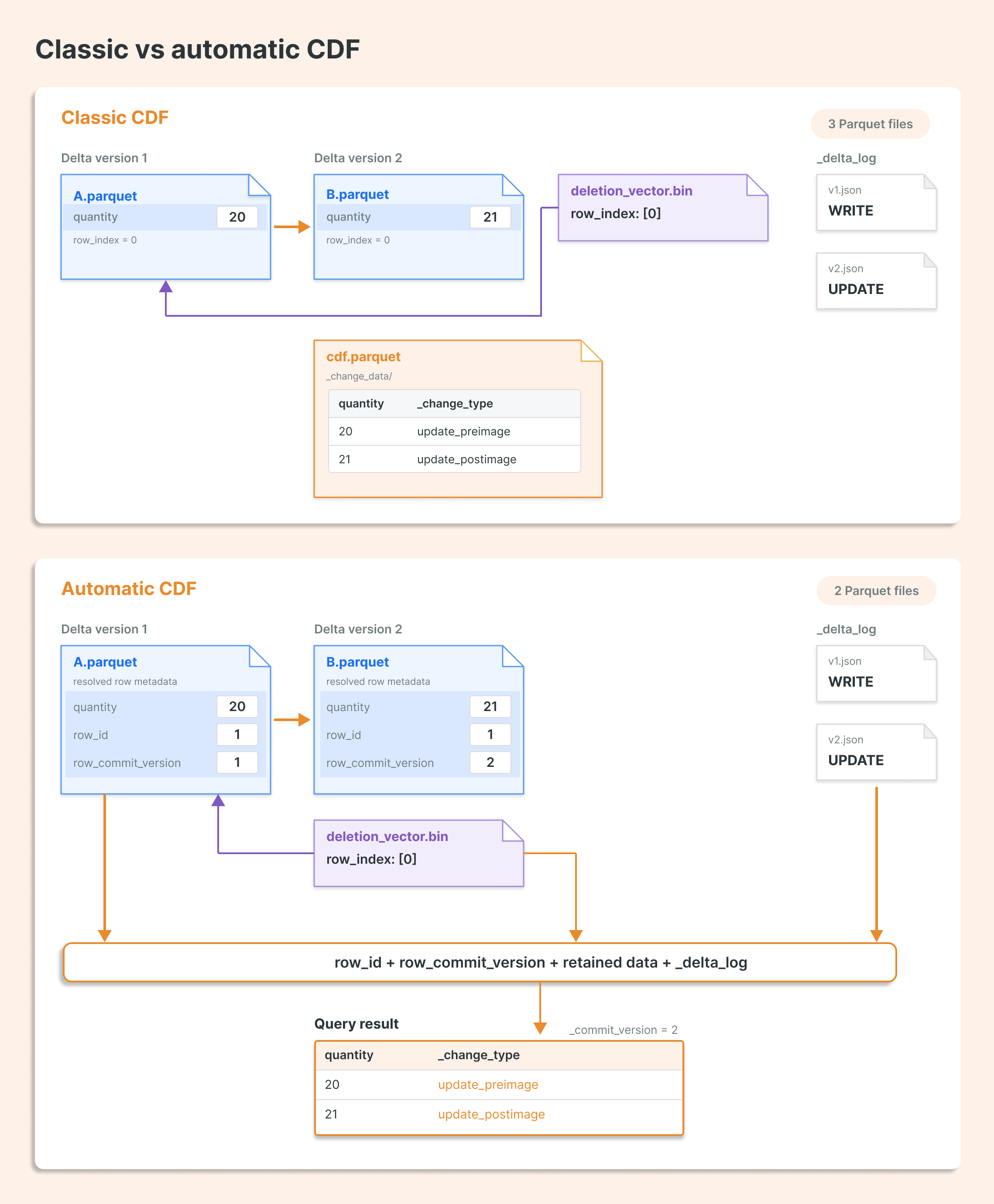
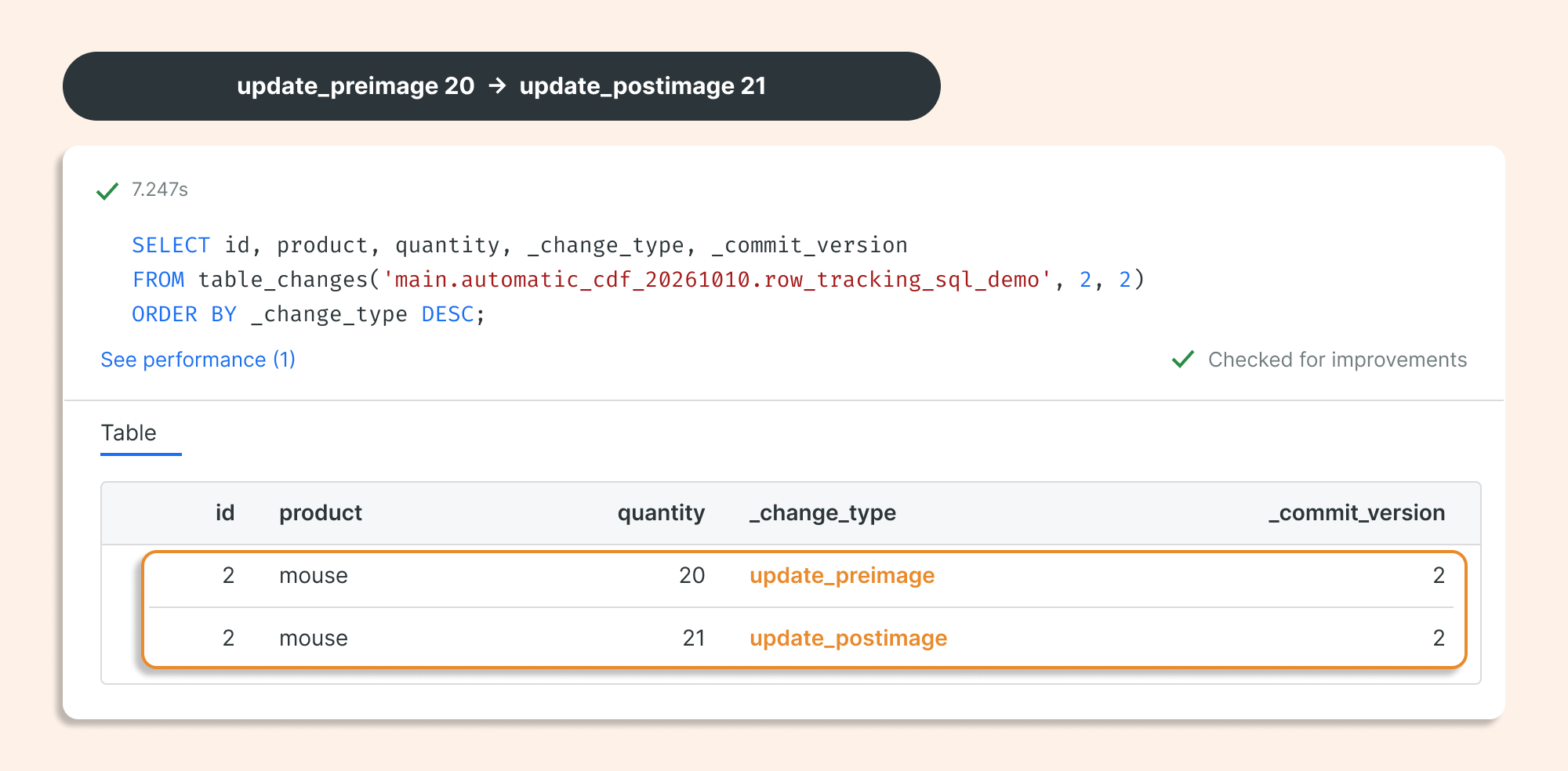
The consumer can still use table_changes or readChangeFeed. The difference is where the work happens: automatic CDF reconstructs changes when they are read instead of writing dedicated classic CDF images for these updates.
SELECT id, product, quantity, _change_type, _commit_version
FROM table_changes(
 'automatic_cdf', 2, 2
)
ORDER BY _change_type DESC;
CREATE TEMPORARY VIEW source_changes AS
SELECT *
FROM STREAM automatic_cdf
WITH (readChangeFeed = true)
WHERE _change_type <> 'update_preimage';

CREATE OR REFRESH STREAMING TABLE automatic_cdf_target;

CREATE FLOW apply_source_changes
AS AUTO CDC INTO automatic_cdf_target
FROM STREAM(source_changes)
KEYS (id)
APPLY AS DELETE WHEN _change_type = 'delete'SEQUENCE BY _commit_version
COLUMNS * EXCEPT (_change_type, _commit_version, _commit_timestamp)
STORED AS SCD TYPE 1;
Row-tracking metadata fields
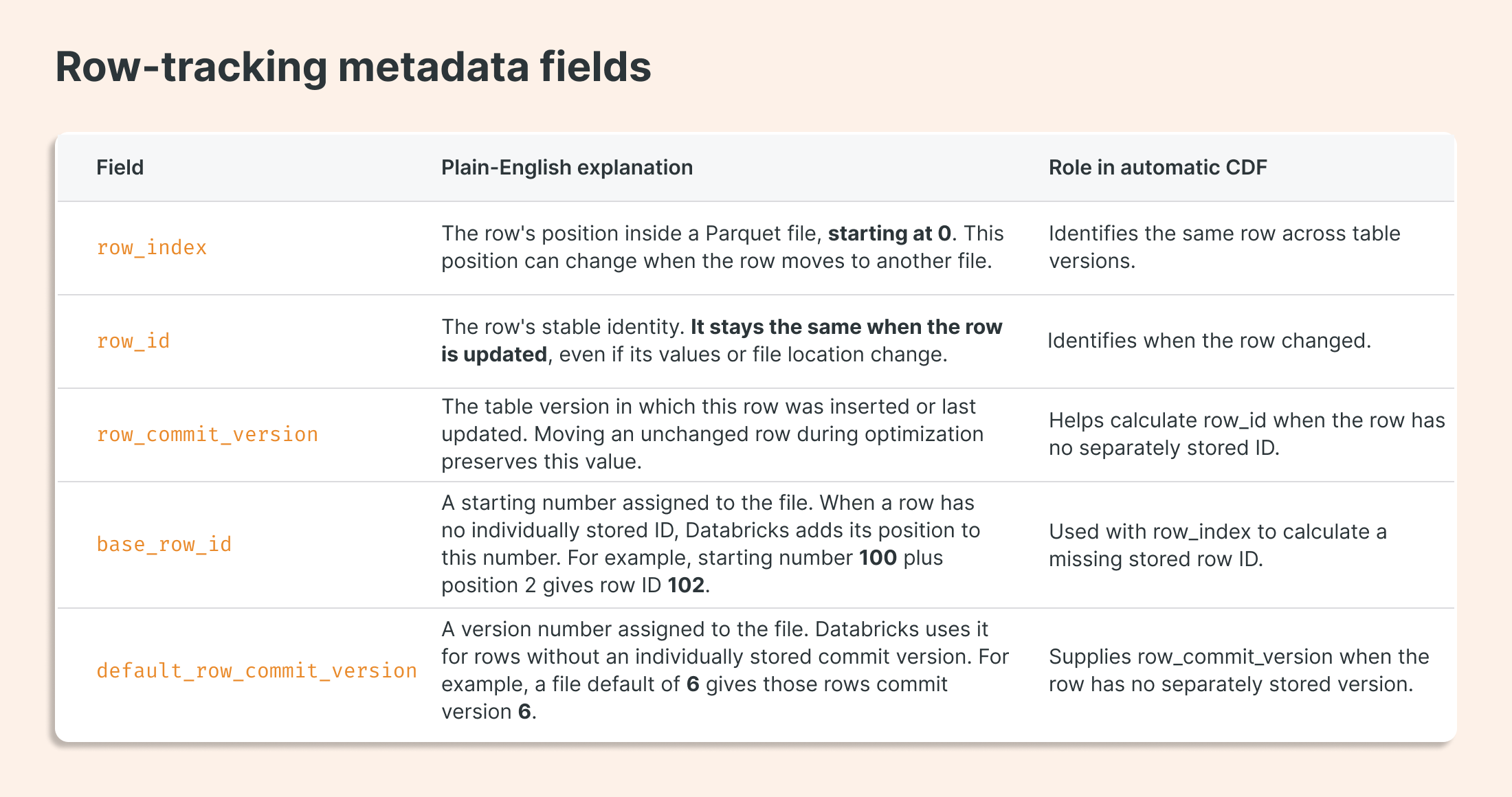
Only row_id and row_commit_version are used directly by AUTO CDC.
Benchmark: The full-payload storage test
Both modes started with five million rows and 192-byte binary payloads. The same full-table update was repeated three times, with a new payload in each round. Automatic CDF used 60.1% less retained space after three full-payload updates.
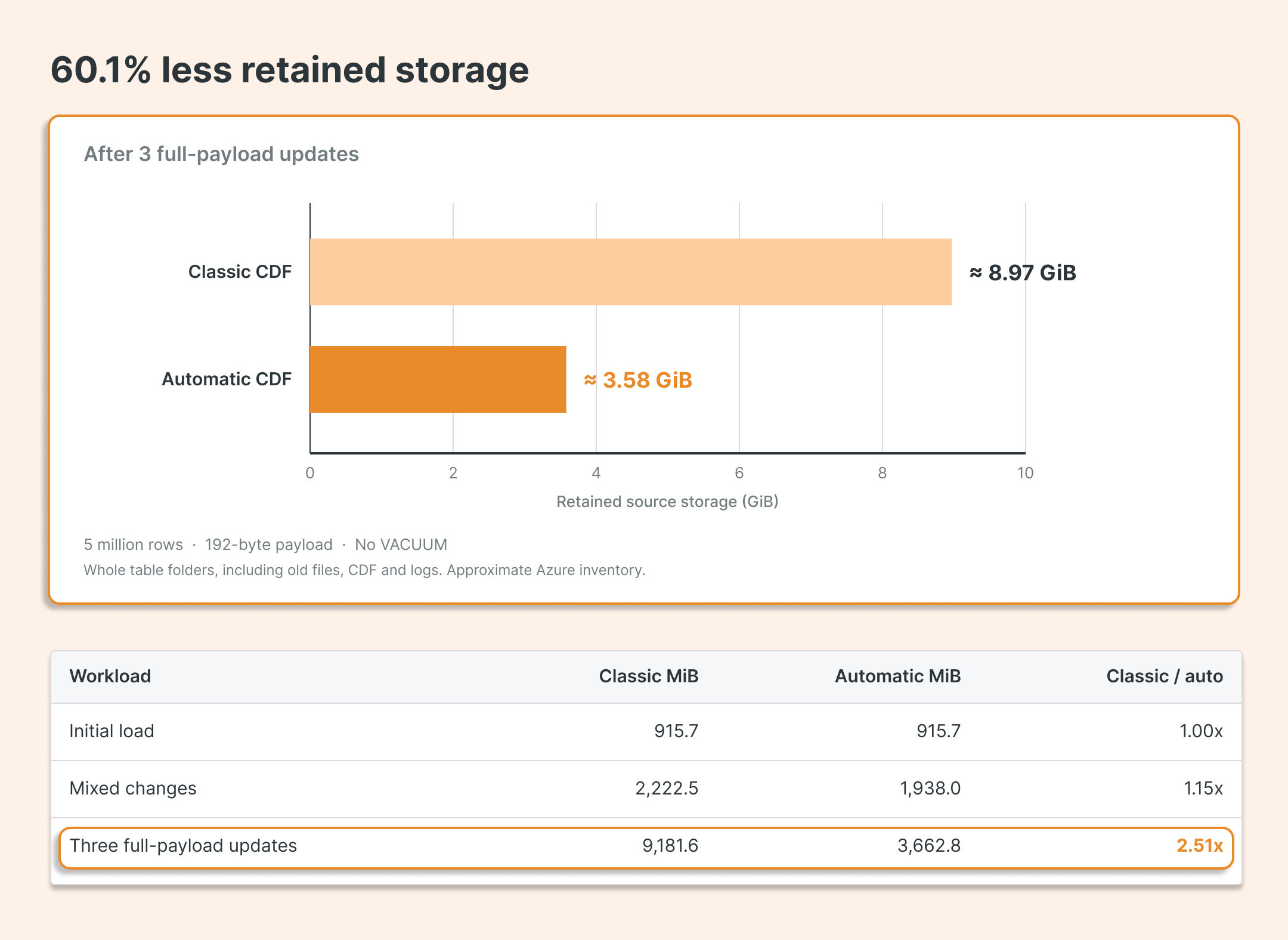
Storage is the clearest advantage in these tests. The initial load used almost the same space, while the benefit grew as more data changed.
Benchmark: write time
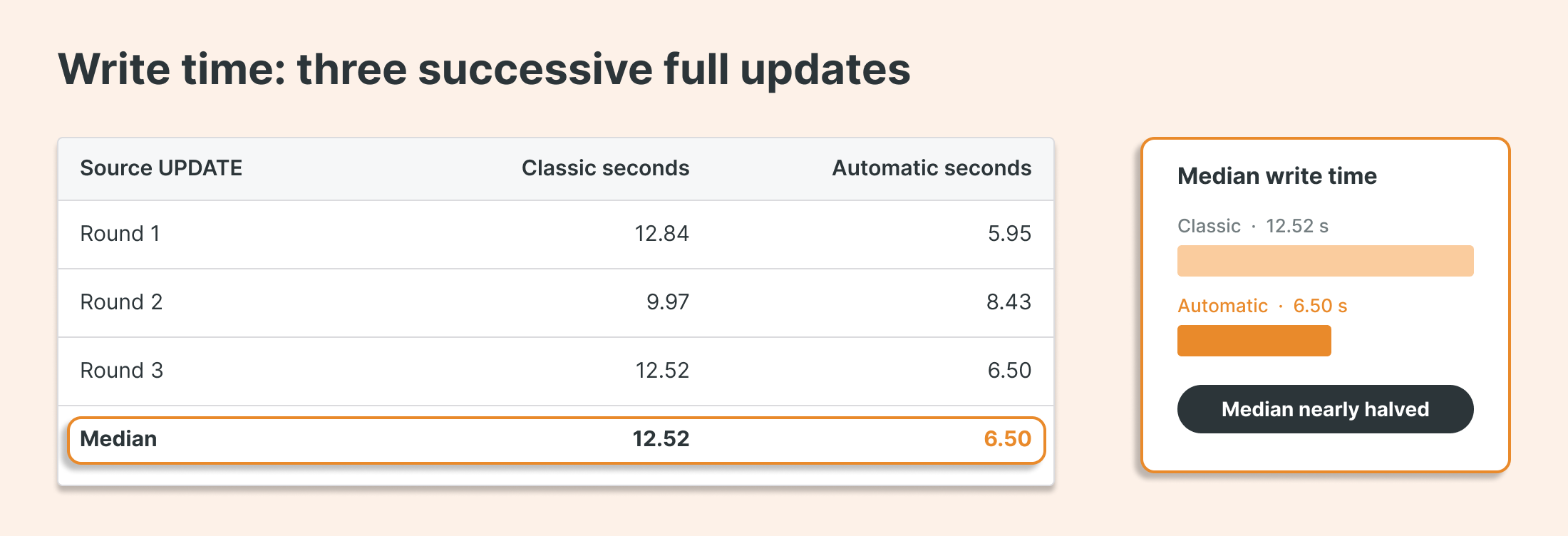
Automatic CDF nearly halved the median time to rewrite every payload in this test. That is a useful write-side gain alongside the storage savings. These three successive updates include payload generation and exclude downstream ingestion.
Benchmark: read time
We read the same changes from both table types after the writes finished. The query processed every payload.
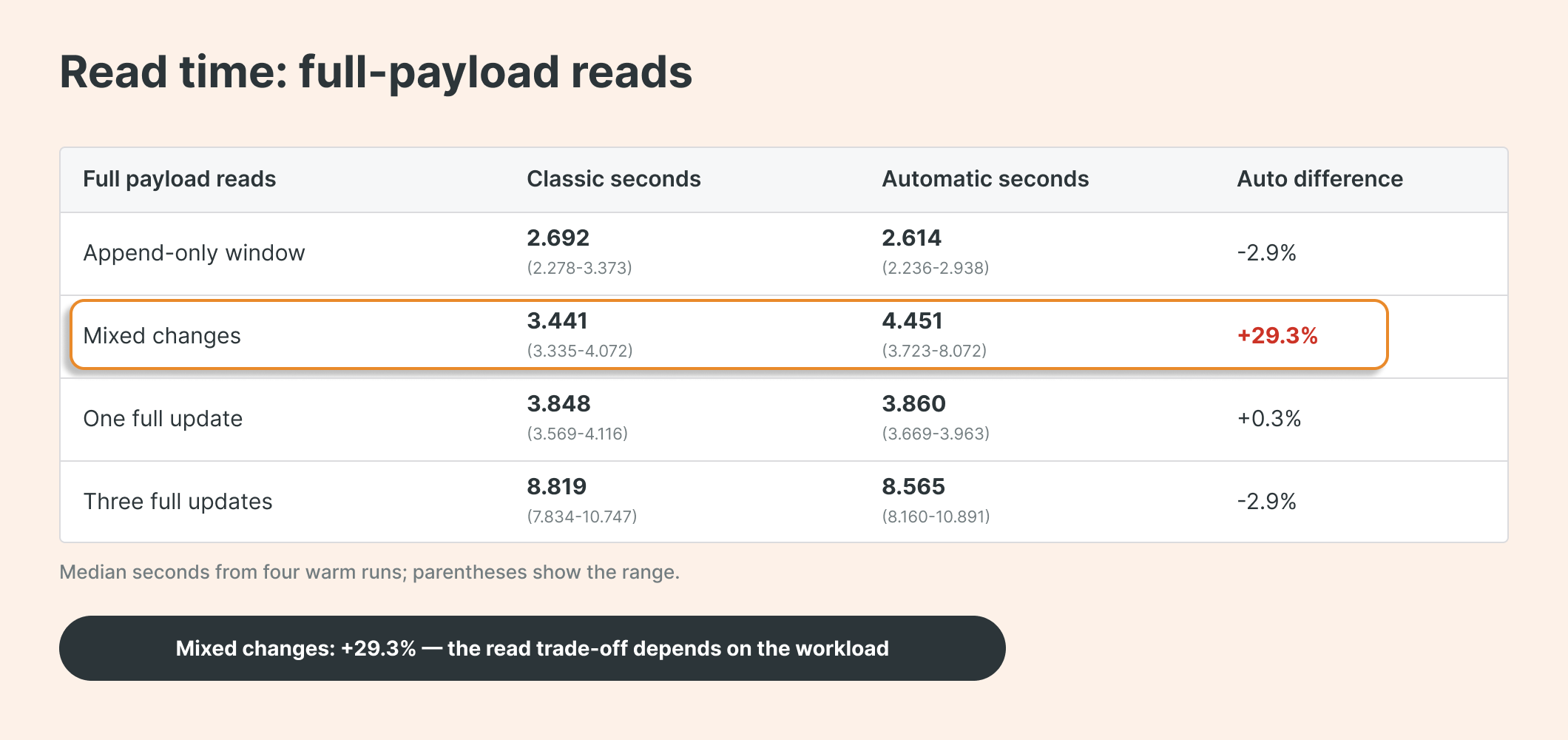
Median seconds from four warm runs; parentheses show the range.
Read speed was similar in three cases, but automatic CDF took 29.3% longer in our mixed-change test. In these tests, the main benefits were lower storage use and faster source writes.
Read performance also depends on the changes within each commit. For example, a MERGE that both updates and deletes rows needs extra work to assign the correct changetype.
TL; DR
Automatic CDF reconstructs changes at read time using retained data and table history.
Our repeated-update test used 60.1% less source-table storage,
Results depend on the workload. Keep enough history for your consumers; VACUUM still limits how far back CDF can read.
DABs repo used for benchmarking: https://github.com/hubert-dudek/medium/tree/main/topics/202610/automatic_cdf