Databricks DABs CI/CD: 4 Ways to Automate Your Deployments
Thanks to Kristóf Molnár for helping write the article.
job_runs: The hidden DABs feature that solves everyday CI/CD problems.
In CI/CD, I often need to run something after deploying a job and its resources, for example:
Setting up initial objects
Running DML to convert config JSON into a Unity Catalog Delta table whenever the JSON changes
Logging something after deployment
Validating a job run and rolling back if it fails
job_runs in DABs makes all of these much easier.
“We're working towards supporting more and more CI/CD use cases natively with DABs, and this feature brings us one step closer to a fully featured Databricks CI/CD offering.
— Kristóf Molnár, DABs Product Manager
Let’s look at some examples.
Initial setup
Some deployments need initial settings before normal processing starts. For that, define a job_runs.
This gives you "run on initial deployment" behavior, but not a permanent exactly-once guarantee. Changes to the run configuration, a failed or missing run, or a new deployment state can trigger another execution. Generally, though, a job_runs resource runs only once: after it is recorded in state, it doesn't run again.
resources:
  job_runs:
    initialize:
      job_id: ${resources.jobs.initialize_job.id}
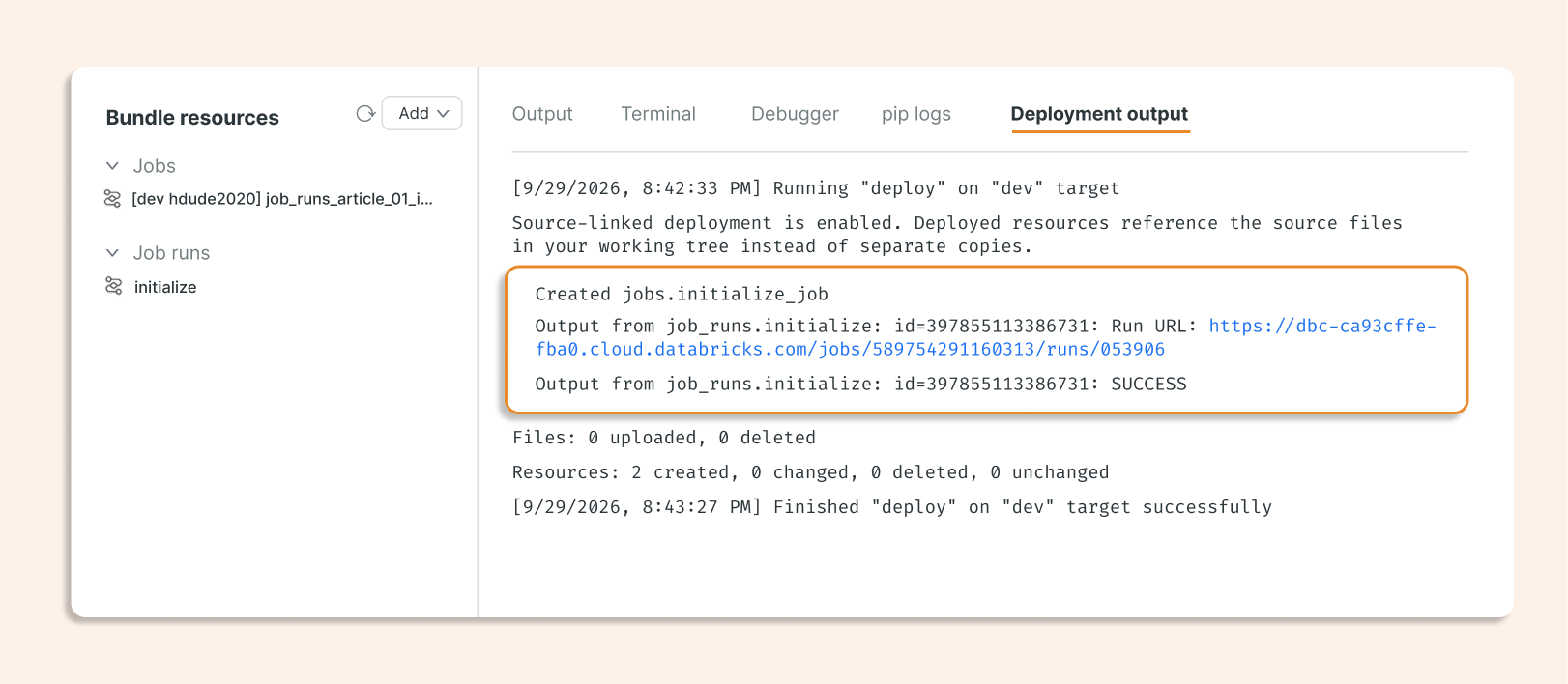
During the first deploy, we can see that the job_runs resource is created, and the job runs for the first time.
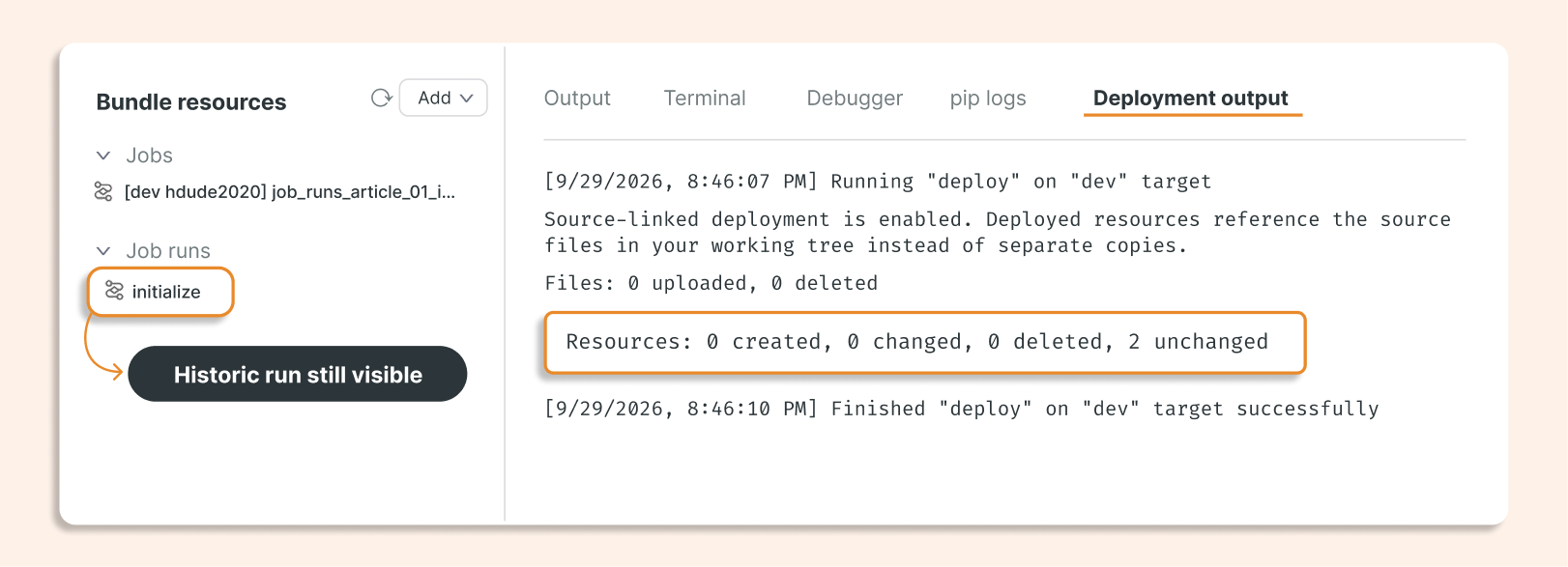
During the next deployment, the job is not triggered, but the historic run is still visible in resources.
Run on every deployment
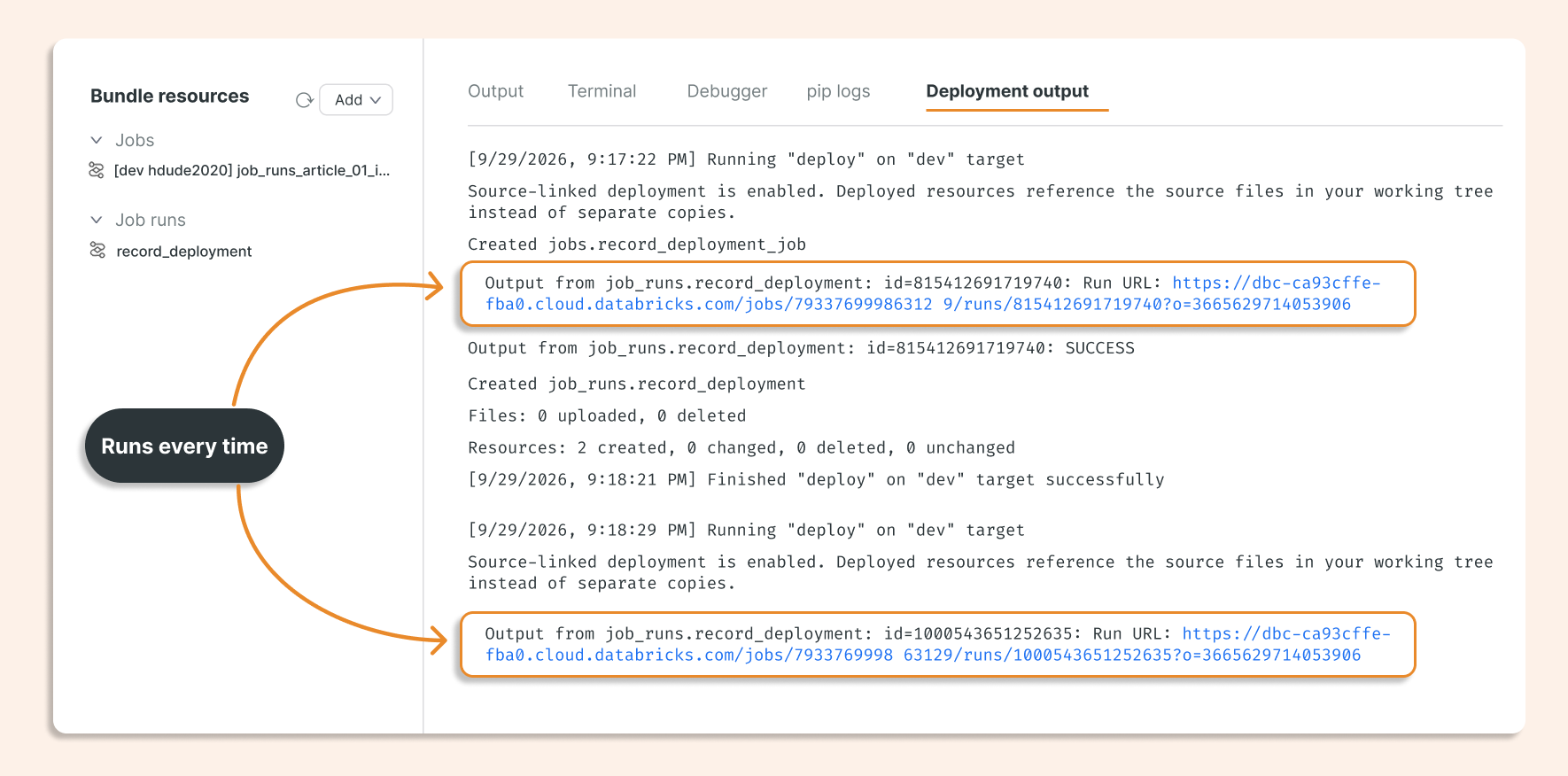
Adding on_bundle_deploy: true signals the CLI to execute this run again on every deployment, even if the notebook and job definition are unchanged. This is useful for deployment checks or refreshing a small piece of configuration.
The trigger is a bundle deployment, not every scheduled execution of the parent job.
  job_runs:
    record_deployment:
      job_id: ${resources.jobs.record_deployment.id}
      lifecycle:
        triggers:
          - on_bundle_deploy: true
This is the simplest use case: every deployment executes the job_runs resource, and the job runs.
Merge JSON configuration into a Delta table when JSON changes
Application settings often live in Git, while notebooks need to read them from a table. This example keeps simple key/value settings in config/application.json and merges them into the Unity Catalog Delta table application_config.
The notebook uses MERGE to update existing keys and insert new ones. In this example, removing a key from the JSON does not delete its row from the table.
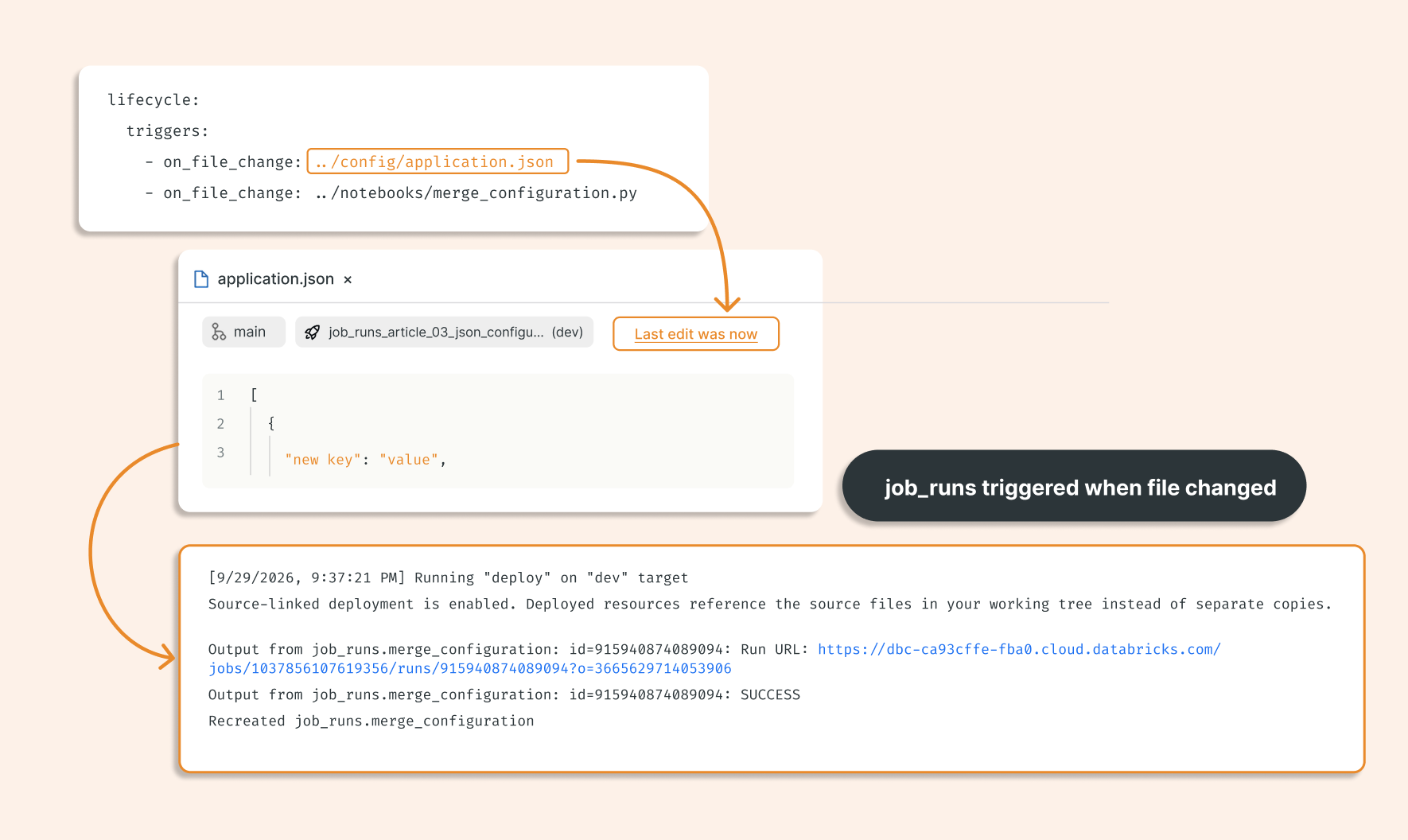
The file-change triggers watch both the JSON file and the notebook that implements the merge. If neither has changed, the job does not run.
resources:
  job_runs:
    merge_configuration:
      job_id: ${resources.jobs.merge_configuration.id}
      lifecycle:
        triggers:
          - on_file_change: ../config/application.json
          - on_file_change: ../notebooks/merge_configuration.py
The example below shows the job run being triggered after application.json changes.
Validate before updating production, and promote the job pointer to new code only if validation succeeds.
This advanced example combines an immutable code snapshot with a deployment dependency. A separate validation_job tests the candidate code. The production job references the validation run's result through its validation_result tag, so its update waits for validation.
The intended result: after you deploy a working release A, a failing candidate B leaves the production job pointing at A's snapshot. If B passes, production updates to B.

This composition is based on the CLI source and acceptance tests.
bundle:
  name: job_runs_article_04_validated_release
  engine: direct

experimental:
  immutable_folder: true

resources:
  job_runs:
    validate_candidate:
      job_id: ${resources.jobs.validation_job.id}
      lifecycle:
        triggers:
          - on_bundle_deploy: true

 jobs:
    validation_job:
      name: job_runs_article_04_validate_candidate
      tasks:
        - task_key: validate_candidate


    production_job:
      # This reference creates the deployment dependency.
      # Only if job_runs validate_candidate succeed, the code of that job will be updated
      tags:
        validation_result: ${resources.job_runs.validate_candidate.state.result_state}
And here is a failed example, where the validation run failed:

TL; DR
job_runs brings job execution into the Declarative Automation Bundles deployment lifecycle. Its configuration, lifecycle triggers, and deployment state determine when a job runs.
You can use it for initial setup, actions on every deployment, and updates triggered by file changes. You can also make dependent resources wait for a successful validation run.
Combined with immutable snapshots, this lets you test new code before updating a production job: a failed validation blocks the update, while production keeps running its previous code. Full deployment rollback still requires additional recovery logic.