Enforcing Enterprise Naming Conventions in Databricks: The Agentic Way
Most naming conventions live in a Confluence page or a shared do that got updated once, three years ago. New engineers might not read it, legacy objects never get cleaned up, and you might end up with a catalog full of inconsistencies.
Luckliy, Databricks recenlty provided a way to enforce your naming convention and avoid that messy scenario. Enter Databricks Workspace Skills, helping you fix this issue first at the individual level with Genie Code, then at scale with a purpose-built audit agent.
What Workspace Skills Actually Are
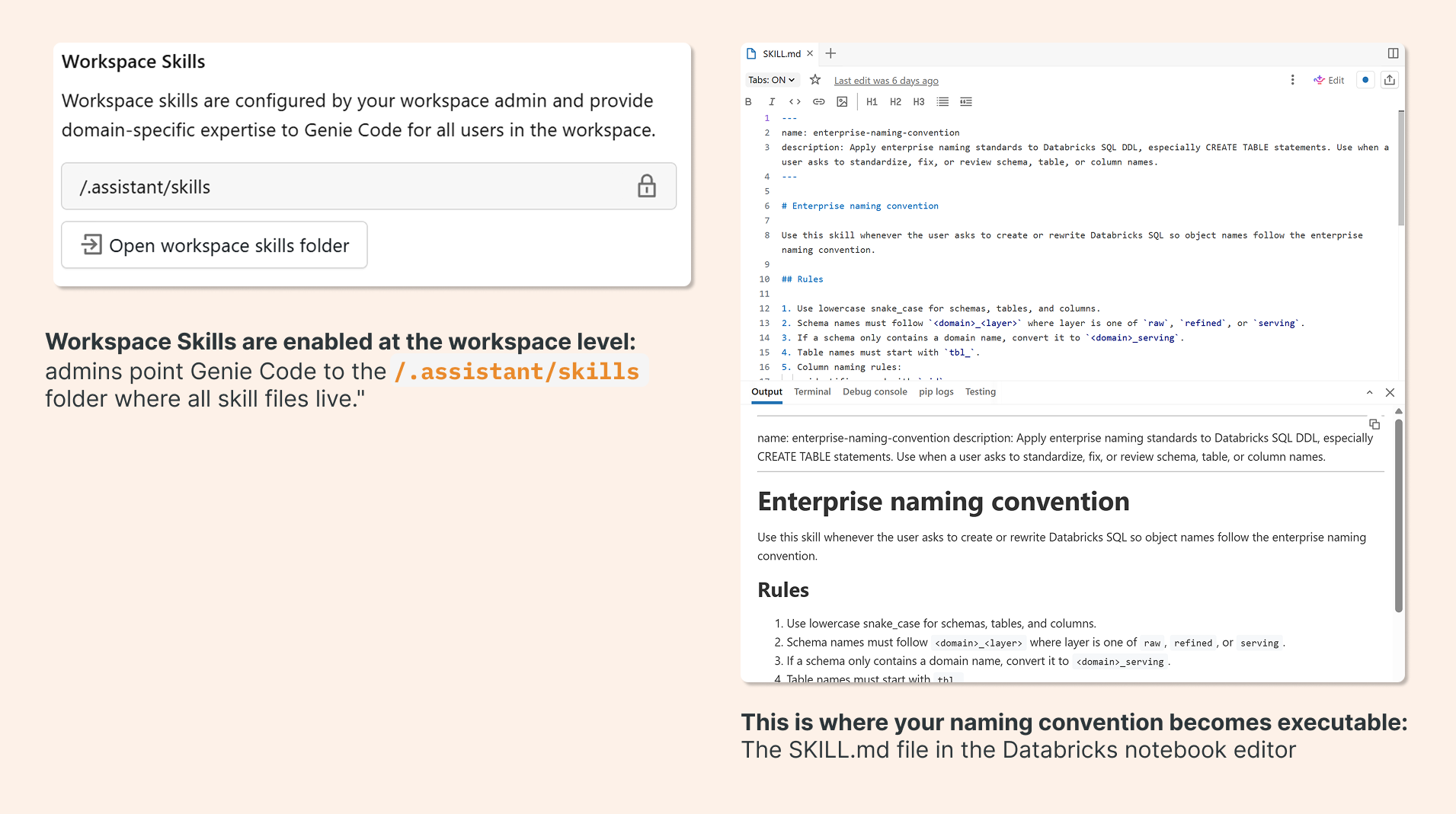
Workspace Skills are a relatively new addition to Databricks. The concept is simple: a SKILL.md file is a Markdown document that lives in your workspace at a known path. When Genie Code handles a request related to that skill, it injects the file's contents directly into the LLM prompt.
Think of it as a set of standing instructions that “travels” with your AI assistant. Instead of prompting Genie Code to follow your naming convention every single time (or hoping it infers the right pattern), you define the rules once, and the skill file makes them persistent.
The file has two parts: a YAML metadata header that tells Genie Code when to activate the skill (based on the type of request), and a Markdown body that defines what to do.
Building the Skill File
Here's what a naming convention skill file looks like in practice. The metadata header tells Genie Code to activate this skill whenever someone asks to create or rewrite Databricks SQL with standardized object names:
---
name: enterprise-naming-convention
description: Apply enterprise naming standards to Databricks SQL DDL, especially CREATE TABLE statements. Use when a user asks to standardize, fix, or review schema, table, or column names.
---

# Enterprise naming convention

Use this skill whenever the user asks to create or rewrite Databricks SQL so object names follow the enterprise naming convention.

## Rules

1. Use lowercase snake_case for schemas, tables, and columns.
2. Schema names must follow `<domain>_<layer>` where layer is one of `raw`, `refined`, or `serving`.
3. If a schema only contains a domain name, convert it to `<domain>_serving`.
4. Table names must start with `tbl_`.
5. Column naming rules:
- identifiers end with `_id`
- date columns end with `_dt`
- timestamp columns end with `_ts`
- boolean columns start with `is_`
- monetary amount columns end with `_amt`
etc...
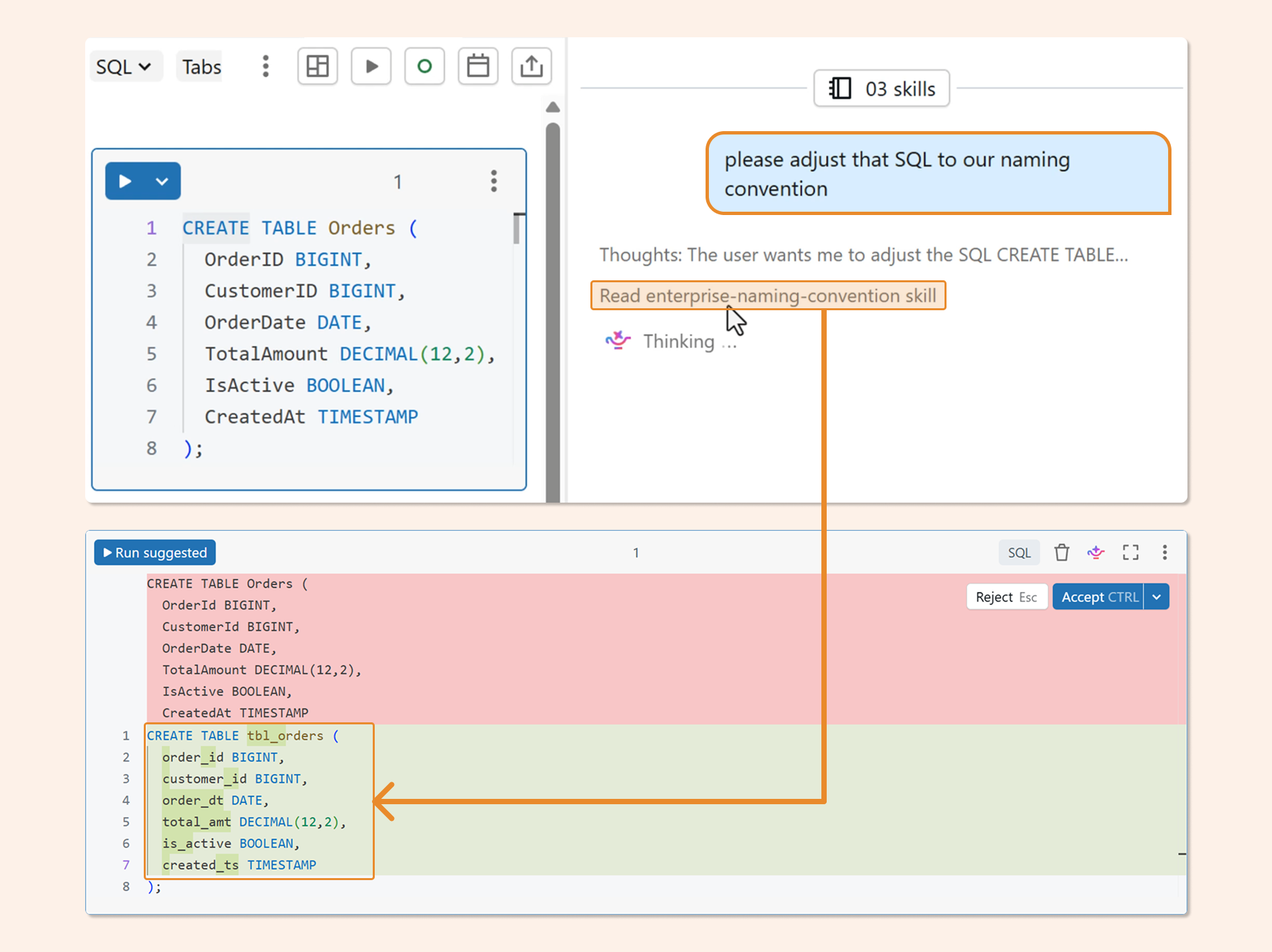
Once this file is in place, Genie Code applies your convention automatically. Ask it to write a CREATE TABLE statement and it will produce snake_case schemas, tbl_ prefixed tables, and correctly suffixed columns without any additional prompting.
The full skill file, including extended column rules and examples, is available on GitHub: github.com/hubert-dudek/medium/tree/main/topics/202604/agent-non-conversational/skills/enterprise-naming-convention
The Limitation (and the Upgrade)
Genie Code is great for net-new work. But it only helps the engineers who are actively using it. It doesn't, for example, fix legacy objects already in your catalog. The skill file makes enforcement easy for individuals. The audit agent makes it systematic across your entire catalog, without requiring anyone to opt in.
To get real coverage, you need something that runs independently: reads every table and column in your information_schema, evaluates them against the naming convention, and produces a report you can act on. That's what we'll build next using Databricks Apps and DABS.
Building the Audit Agent
Start from the app-templates repo. Databricks maintains a library of reference templates at github.com/databricks/app-templates. For a single-skill, non-interactive audit, the agent-non-conversational template is the right starting point: it's lean, focused, and doesn't carry the overhead of a multi-turn conversational UI.
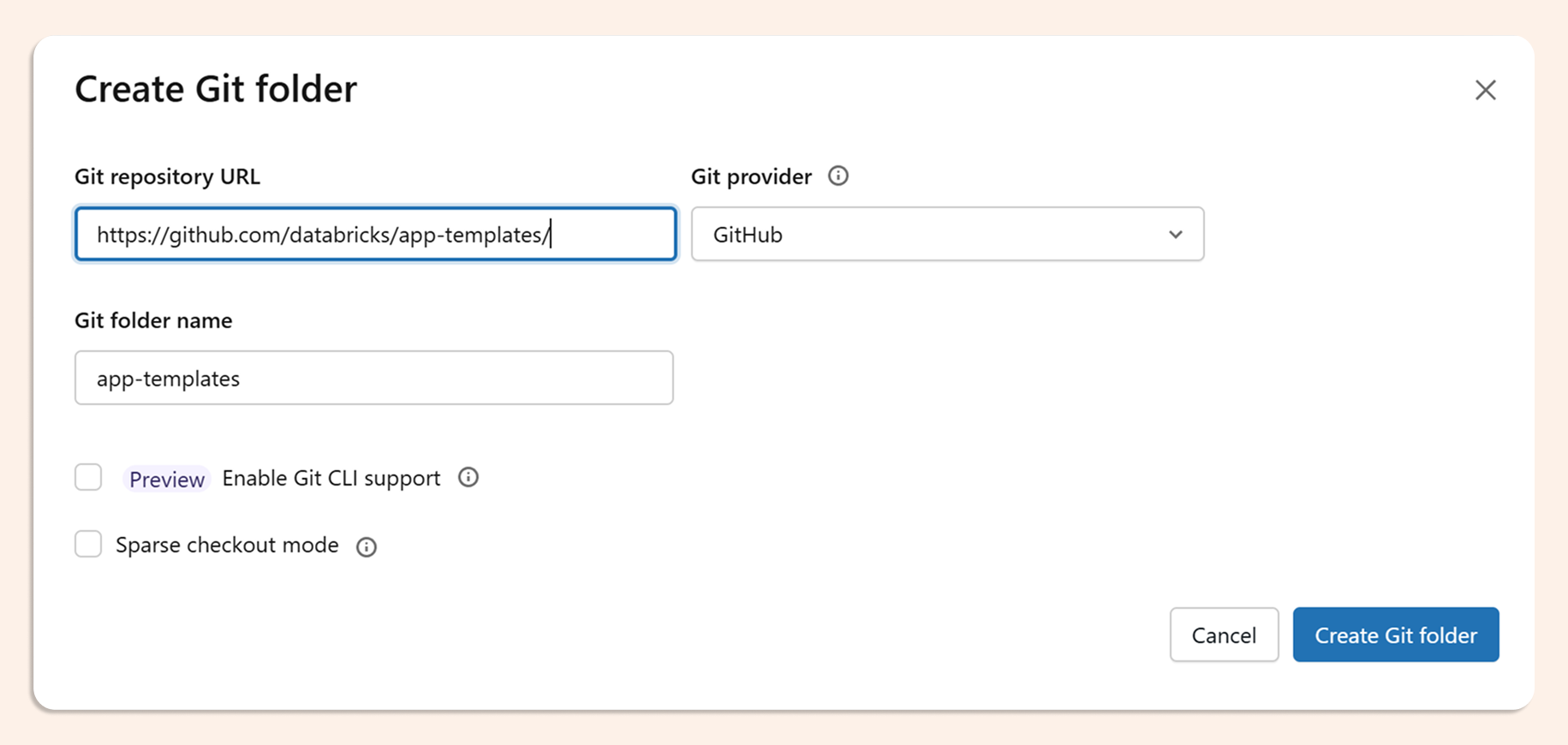
The easiest way is to just clone the entire repo and start experimenting with templates.
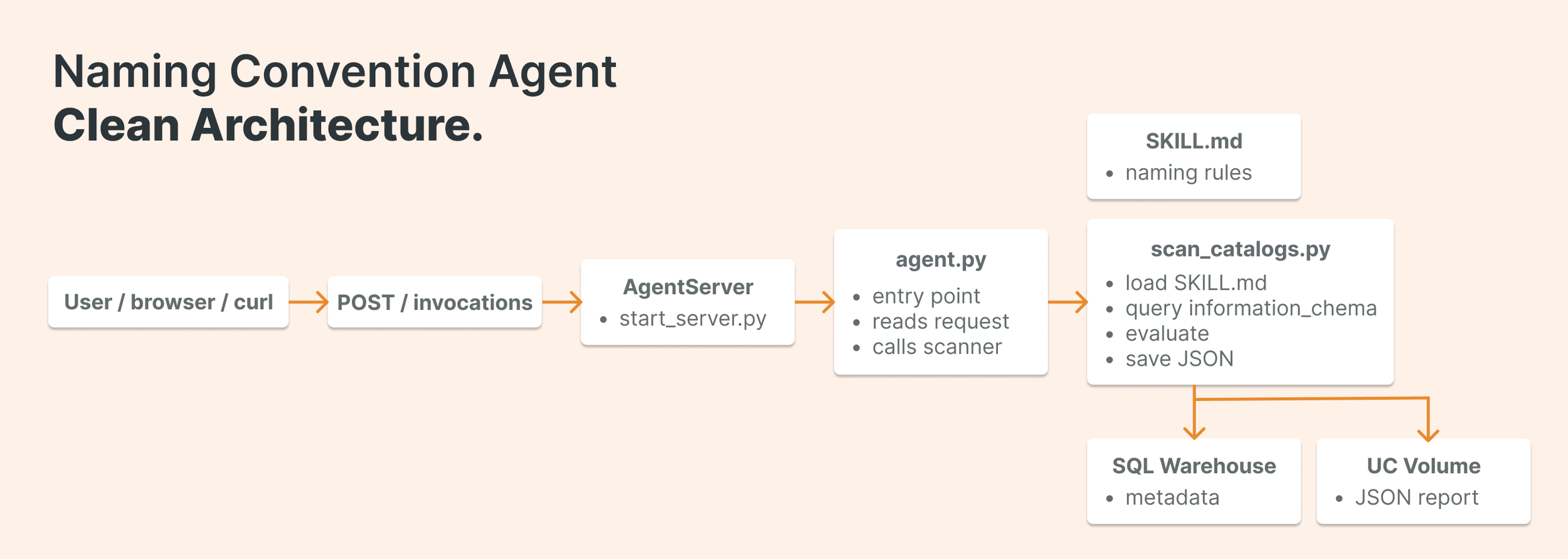
The application has four moving parts:
databricks.yml — the control file
This is where DABS wires everything together. It defines the app resource, passes environment variables to the running container, and binds the SQL warehouse and Unity Catalog volume the agent needs to do its work. Key variables include the warehouse ID for running queries, the target catalogs to scan, the volume path for saving results, and the path to your SKILL.md file.
resources:
apps:
my_naming_app:
name:"agent-naming-convention"
source_code_path: .
config:
command:["uv","run","start-app"]
env:
-name: API_PROXY
value:"http://localhost:8000/invocations"
-name: SCAN_WAREHOUSE_ID
value: ${var.scan_warehouse_id}
-name: REPORT_VOLUME_PATH
value: ${var.report_volume_full_name}
-name: TARGET_CATALOGS
value: ${var.target_catalogs}
-name: SCAN_REPORT_DIR
value: ${var.scan_report_dir}
-name: SKILL_FILE_PATH
value:"/Workspace/.assistant/skills/enterprise-naming-convention/SKILL.md"

resources:
-name: scan_warehouse
sql_warehouse:
id: ${var.scan_warehouse_id}
permission: CAN_USE

-name: report_volume
uc_securable:
securable_full_name: ${var.report_volume_full_name}
securable_type: VOLUME
permission: WRITE_VOLUME
agent.py — thin entry point
Keep this file small. Its only job is to accept the incoming payload, parse which catalogs to scan, and hand off to the scan function. All the real logic lives elsewhere
from mlflow.genai.agent_server import invoke
from pydantic import BaseModel

from agent_server.scan_catalogs import run_scan

class AgentInput(BaseModel):
    catalogs: list[str] | None = None

@invoke()
async def invoke_handler(data: dict) -> dict:
    payload = AgentInput(**(data or {}))
    return run_scan(catalogs=payload.catalogs)
scan_catalogs.py –– where the work happens
This module does four things in sequence: loads the SKILL.md file, queries the information_schema for all tables and columns, passes that data to the LLM for evaluation against the naming convention, and saves the result to a Unity Catalog volume. Here's the SQL query at the core of the schema read:
SELECT
  table_catalog,
  table_schema,
  table_name,
  column_name,
  data_type
FROM workspace.information_schema.columns
ORDER BY table_schema, table_name, ordinal_position
The evaluate_naming function passes the full schema dump and the skill file content to the LLM in a single prompt, asking it to return a JSON array of violations. Each entry in the output identifies the object, the violated rule, and the suggested fix. The full implementation is on GitHub: github.com/hubert-dudek/medium/blob/main/topics/202604/agent-non-conversational/agent_server/scan_catalogs.py
Deploying With DABS
Deployment is three commands:
databricks bundle validate
databricks bundle deploy -t dev
databricks bundle run <app_resource_key> -t dev
There's one gotcha worth knowing: deploy creates the compute and registers all the settings, but it does not start the application. You need bundle run to actually launch it. It's easy to miss, especially if you're used to other deployment patterns where deploy means running.
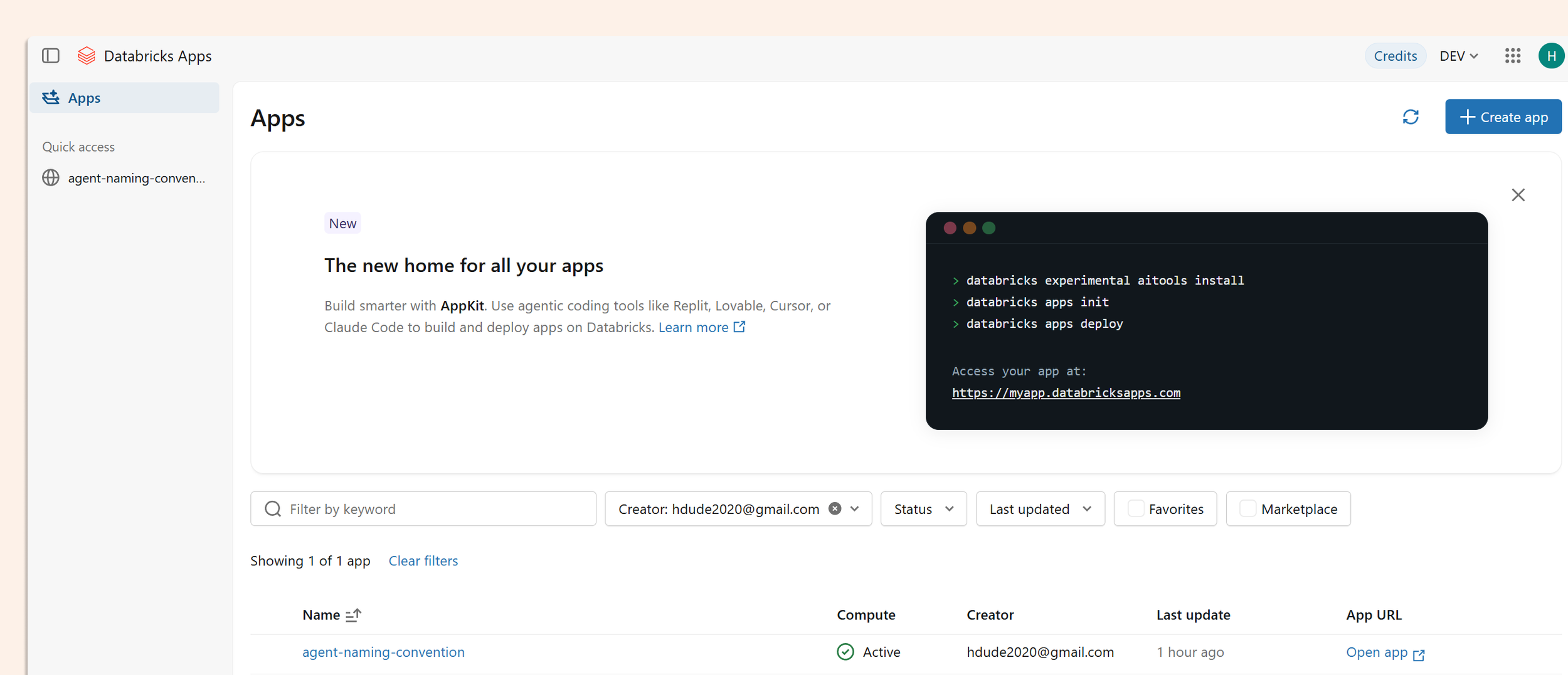
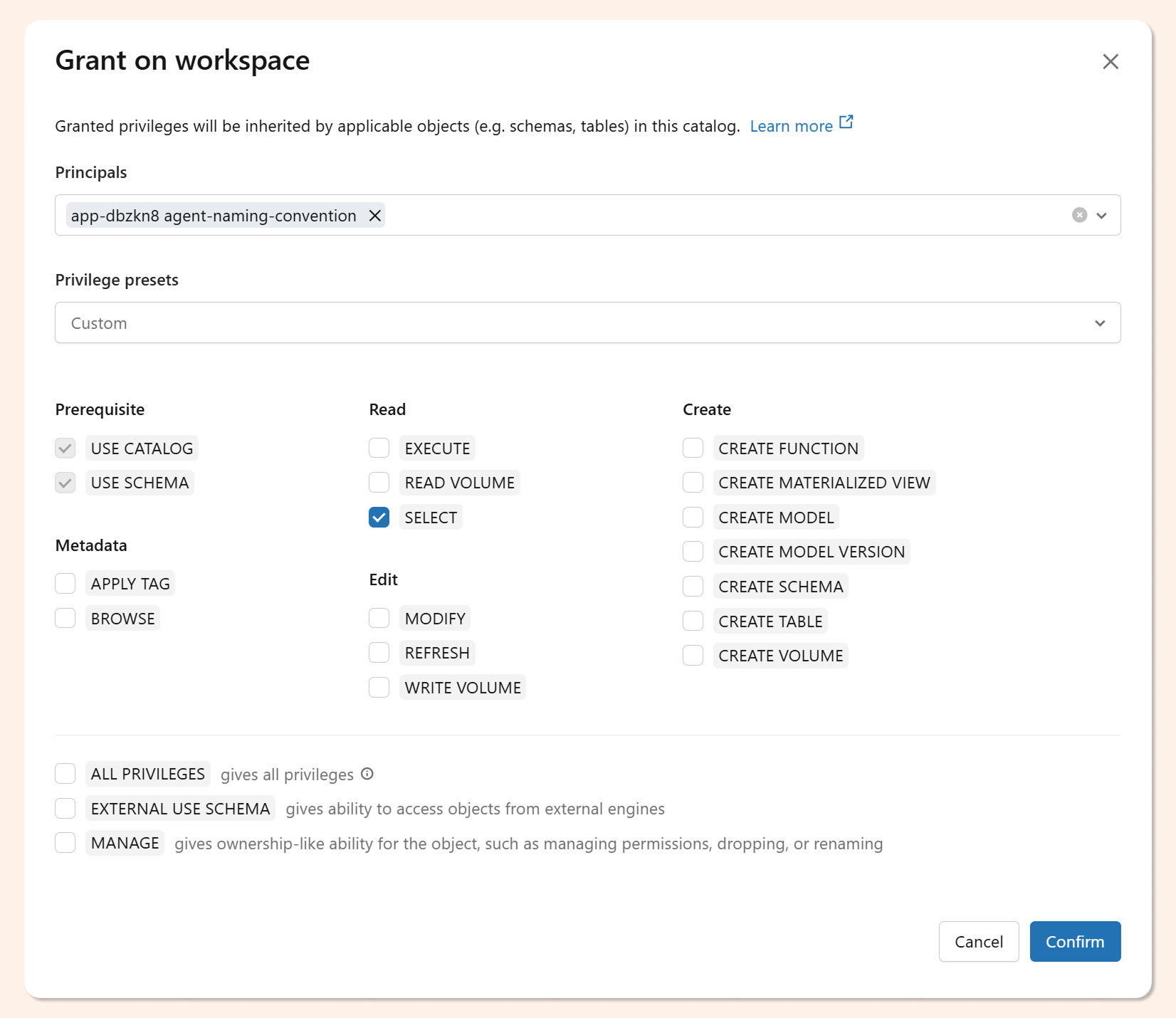
When the app deploys, Databricks automatically creates a service principal for it. That SP needs catalog access before the scan will work. Grant it via SQL:
GRANT USE CATALOG ON CATALOG workspace TO `<app-service-principal>`;
GRANT USE SCHEMA ON CATALOG workspace TO `<app-service-principal>`;
GRANT BROWSE ON CATALOG workspace TO `<app-service-principal>`;
You can also set these permissions through the Unity Catalog UI if you prefer not to write the GRANT statements manually.
Triggering the Scan and Reading the Output
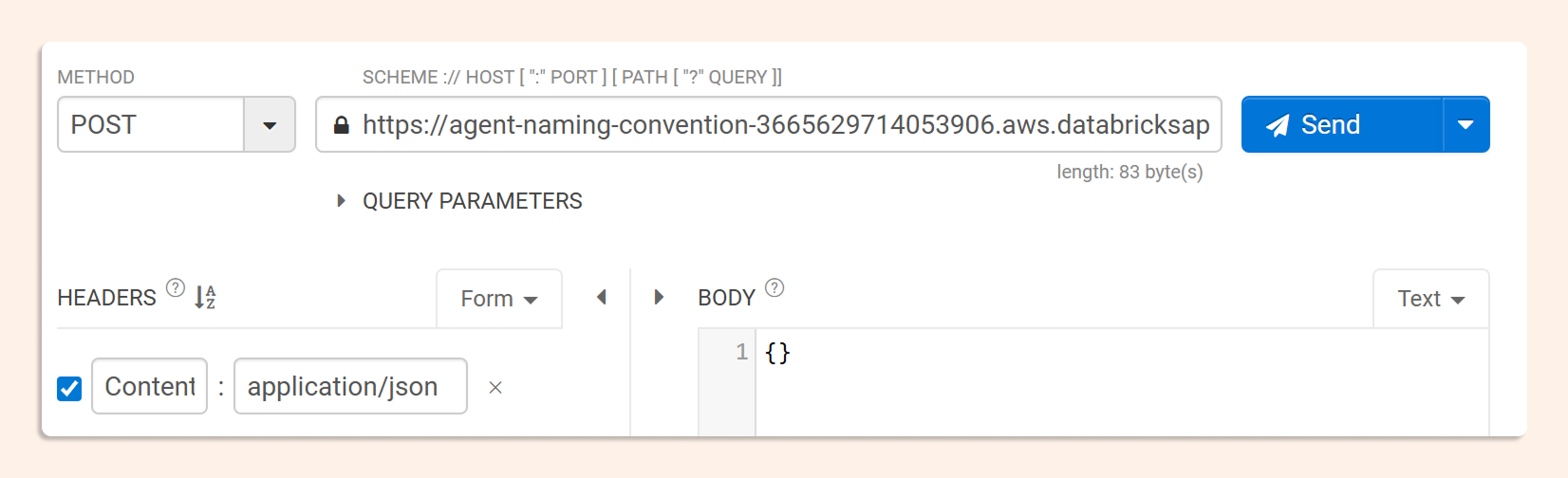
Once deployed, the app exposes an invocation endpoint. Send a POST request to trigger the scan, you can pass a list of specific catalogs, or leave the payload empty to scan everything the service principal can see.
The response comes back as a JSON audit report: each entry identifies the catalog, schema, table, and column with a naming violation, states which rule was broken, and suggests the corrected name.
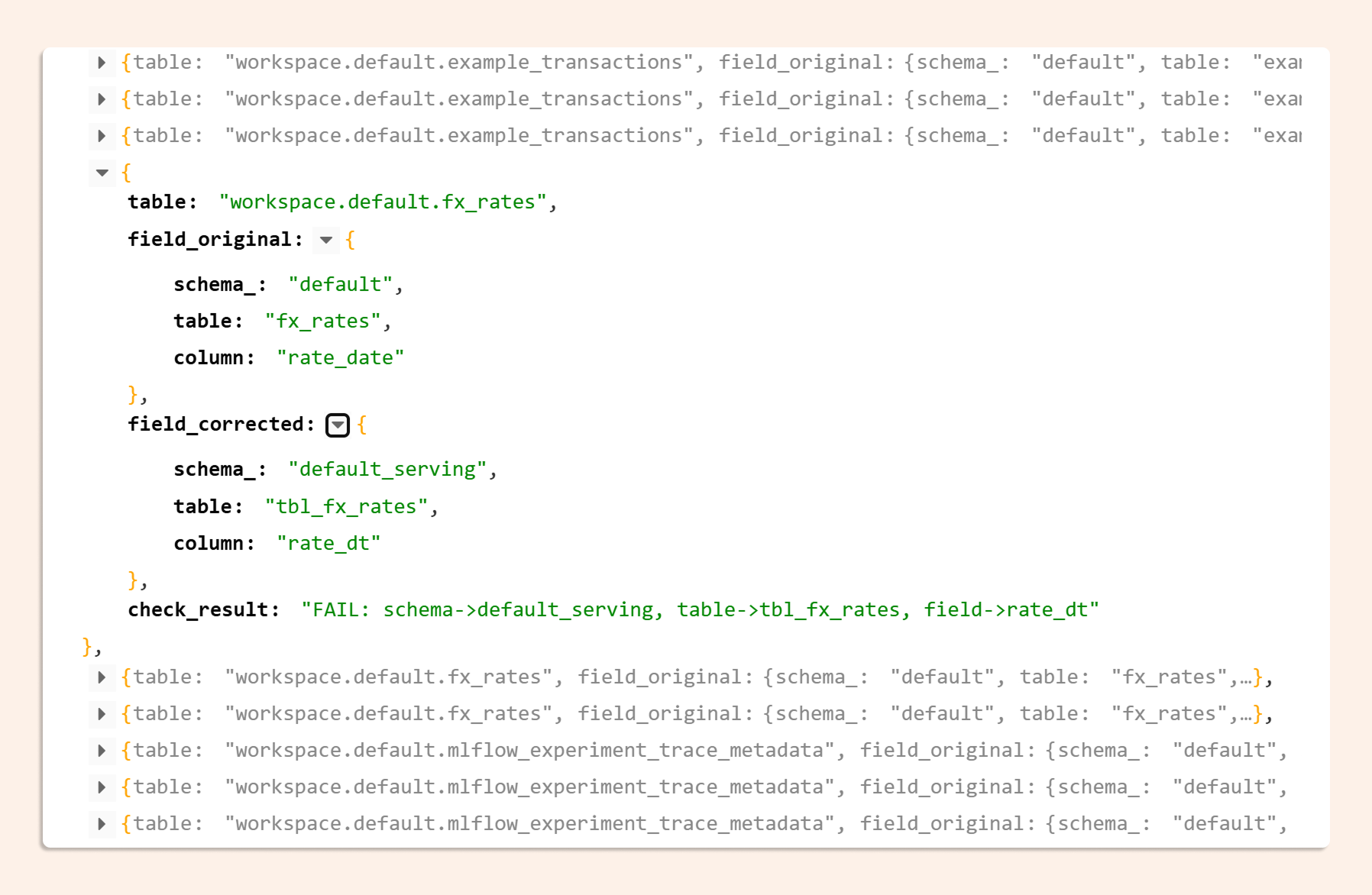
Each entry in the JSON report gives you:
the fully-qualified object name
the violated naming rule
the suggested corrected name
Run it weekly and diff the results to track whether new objects are being created compliantly, or not.
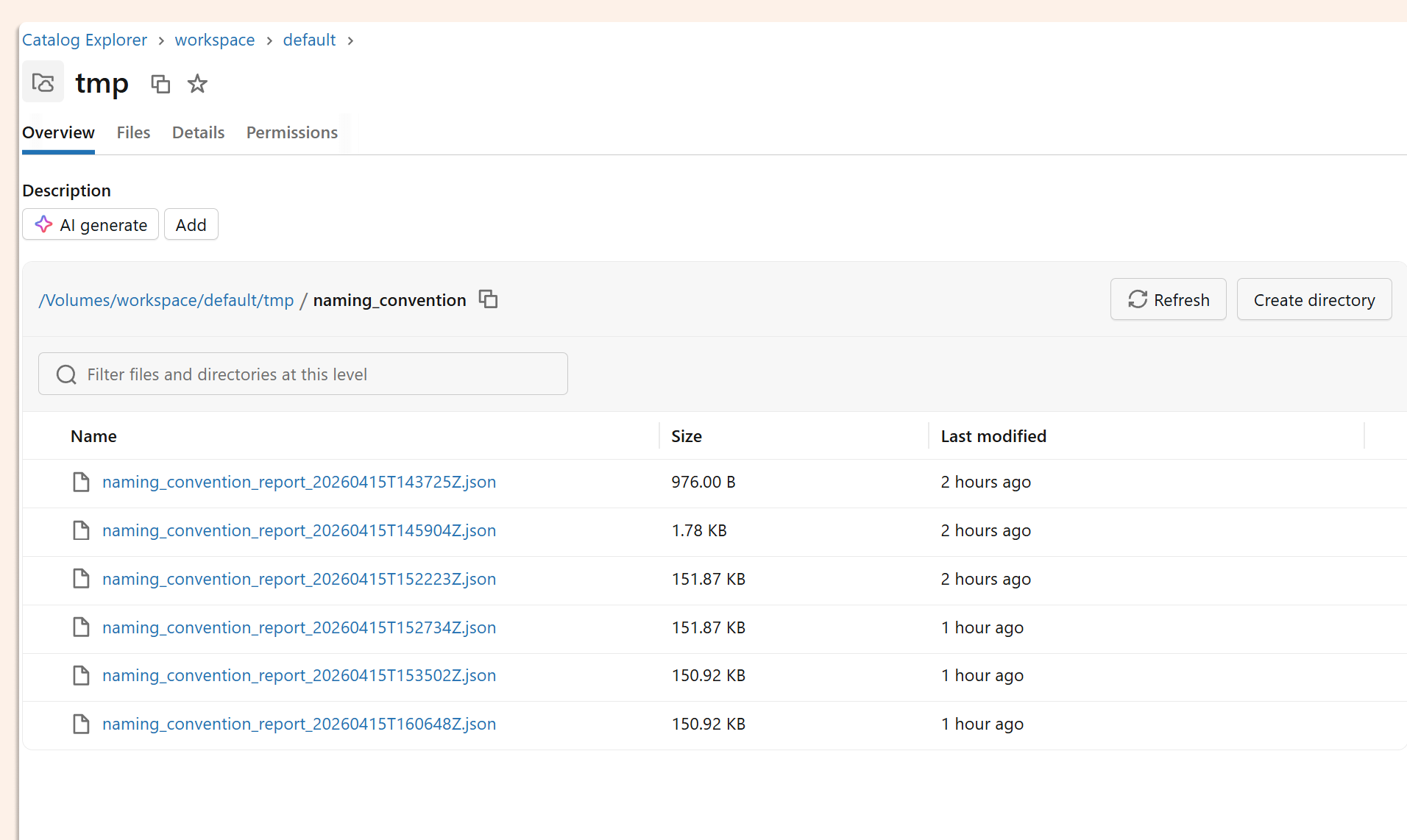
The same report is also written to the Unity Catalog volumeyou configured in databricks.yml, so it's queryable and persistent.
What to Do Next
It’s important to know that this is a working proof of concept, not a production-hardened system. A few honest caveats:
Apps don't yet scale to zero. After running your audit, pause the compute manually to avoid idle charges.
There's no UI. The output is JSON in a volume. Adding a simple Streamlit or Gradio front-end on top of the app is the obvious next step if you want to make this self-service for your governance team.
State isn't tracked between runs. Connecting results to a Delta table or Lakebase would let you trend compliance over time rather than looking at point-in-time snapshots.
That said, the core loop (read the skill, read the schema, evaluate, report) is exactly right. The Databricks stack (Apps, DABS, Unity Catalog, Workspace Skills) makes this kind of agentic governance tooling genuinely straightforward to build. The hardest part is writing the evaluate_naming function to match your specific rules. Everything else is plumbing.