Databricks Docker: From runtime CI/CD to compliance
For years, Databricks clusters gave you two flavors of compute: ML and non-ML runtime. That was it.
Now there are 12 official Docker base images, and, more importantly, you can build your own on top of them. That single change opens the door to a class of problems that pip install was never designed to solve: compliance requirements, offline environments, native binaries, enterprise certificates, and internal packages that need to be locked and audited before they ever touch a cluster.
The 12 Official Base Images
Let’s look at the list of 12 images that you can find at https://hub.docker.com/u/databricksruntime
databricksruntime/standard → General-purpose runtime, the familiar default.
databricksruntime/minimal → Smallest image; ideal when you want to control exactly what's included.
databricksruntime/python → Python-focused
databricksruntime/rbase → R-focused
databricksruntime/dbfsfuse → Base image with DBFS FUSE support; relevant when filesystem-style DBFS access is needed
databricksruntime/environment → Matches serverless environments; also available for standard compute
databricksruntime/air → AI runtime
databricksruntime/blackice → AI security runtime
databricksruntime/gpu-base → General GPU compute
databricksruntime/gpu-pytorch → GPU optimized for PyTorch
databricksruntime/gpu-tensorflow → GPU optimized for TensorFlow
databricksruntime/gpu-rapids → GPU analytics workloads using RAPIDS
The minimal image is worth calling out: if you want full control over your runtime dependencies, start there rather than stripping down standard.
How to Build a Databricks Docker Image
Prerequisites
Install Docker. On Windows, the Linux Subsystem helps:
wsl --install
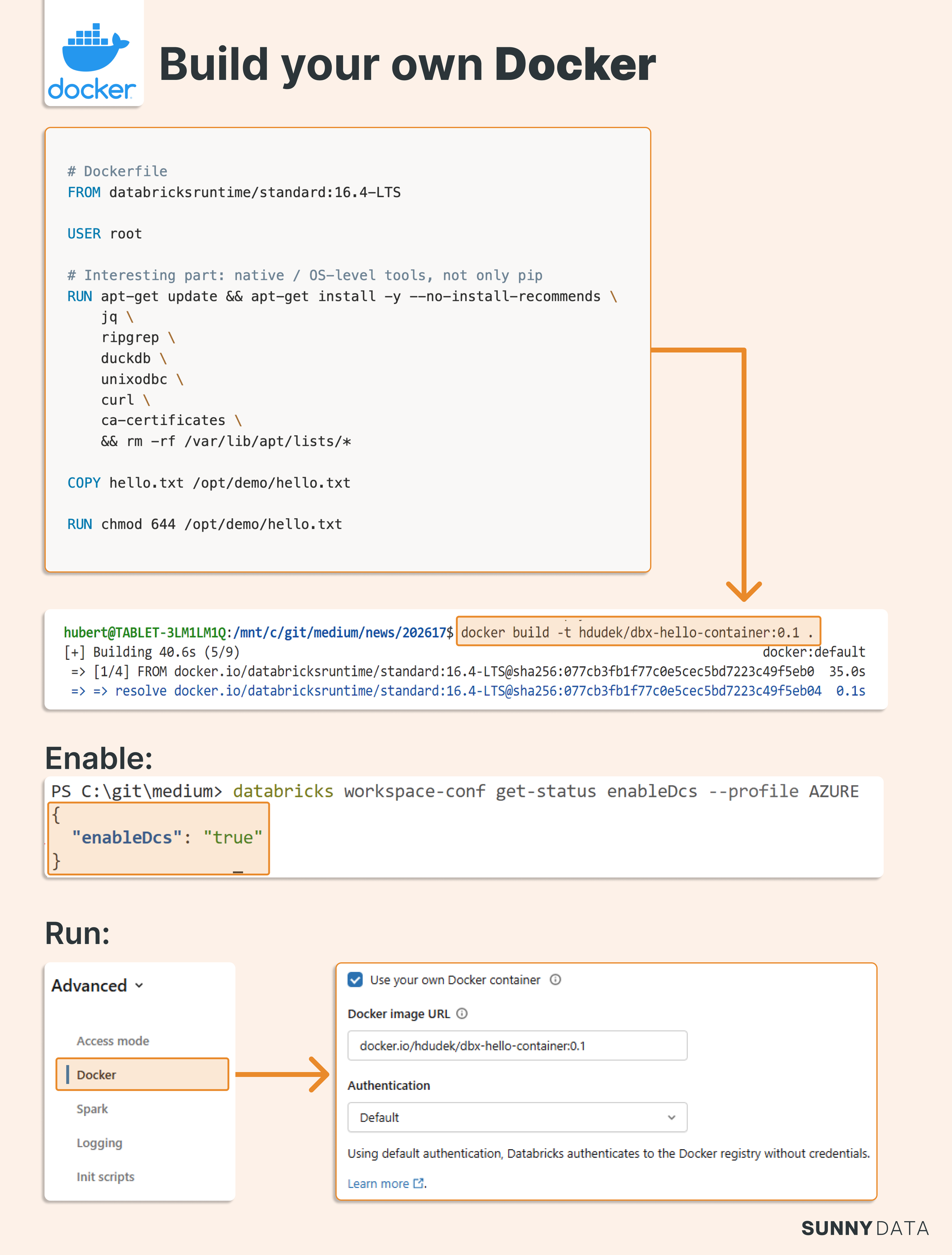
Create a Dockerfile
The example below builds on the standard runtime, installs the DuckDB CLI, and copies a test file into the image:
FROM databricksruntime/standard:16.4-LTS
USER root
RUN apt-get update && apt-get install -y --no-install-recommends \
    jq \
    ripgrep \
    unixodbc \
    curl \
    ca-certificates \
    unzip \
    && rm -rf /var/lib/apt/lists/*

# Install DuckDB CLI manually
ARG DUCKDB_VERSION=1.4.4
RUN curl -L \
    "https://github.com/duckdb/duckdb/releases/download/v${DUCKDB_VERSION}/duckdb_cli-linux-amd64.zip" \
    -o /tmp/duckdb.zip \
    && unzip /tmp/duckdb.zip -d /usr/local/bin \
    && chmod +x /usr/local/bin/duckdb \
    && rm /tmp/duckdb.zip

COPY hello.txt /opt/demo/hello.txt
RUN chmod 644 /opt/demo/hello.txt
RUN duckdb --version
Build and test locally
docker buildx build --platform linux/amd64 -t hdudek/dbx-hello-container:0.1 .
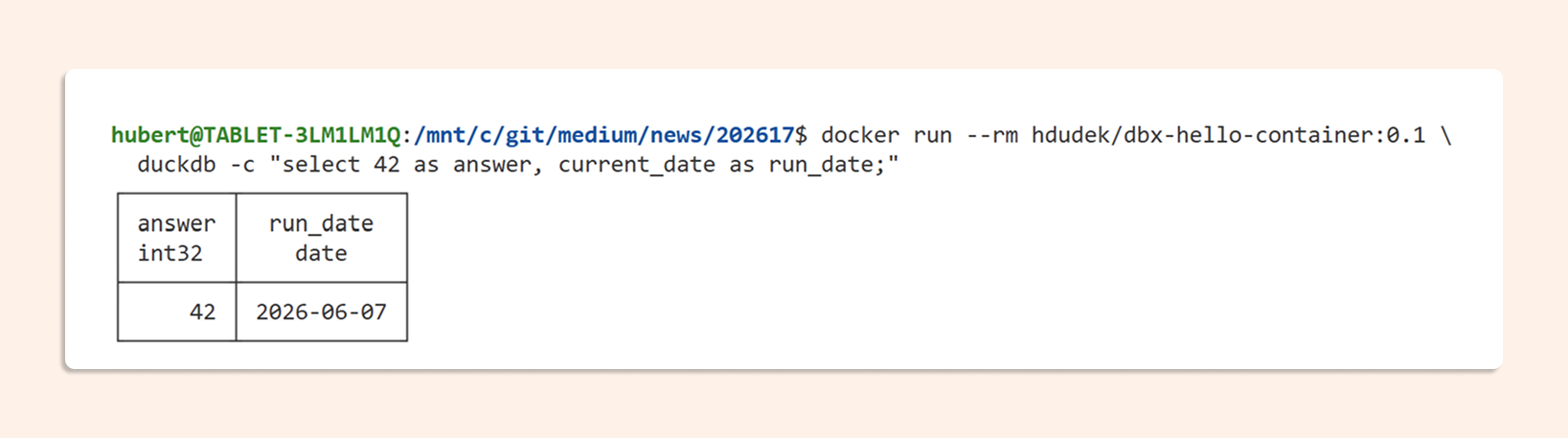
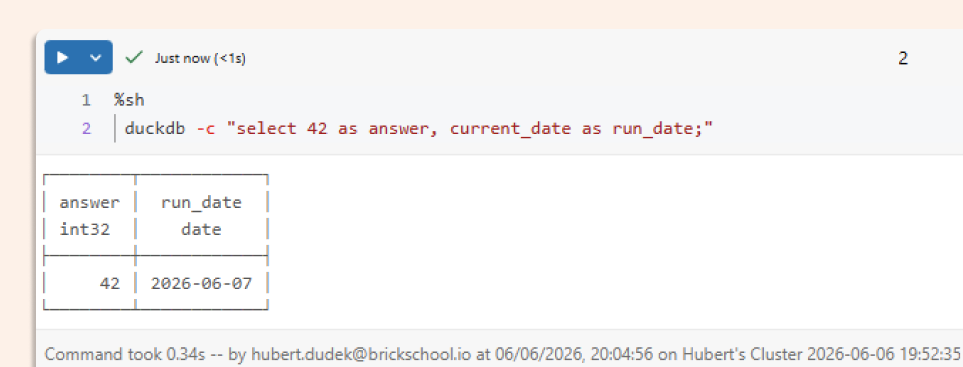
Run DuckDB directly in the container to verify:
docker run --rm hdudek/dbx-hello-container:0.1 \
  duckdb -c "select 42 as answer, current_date as run_date;"
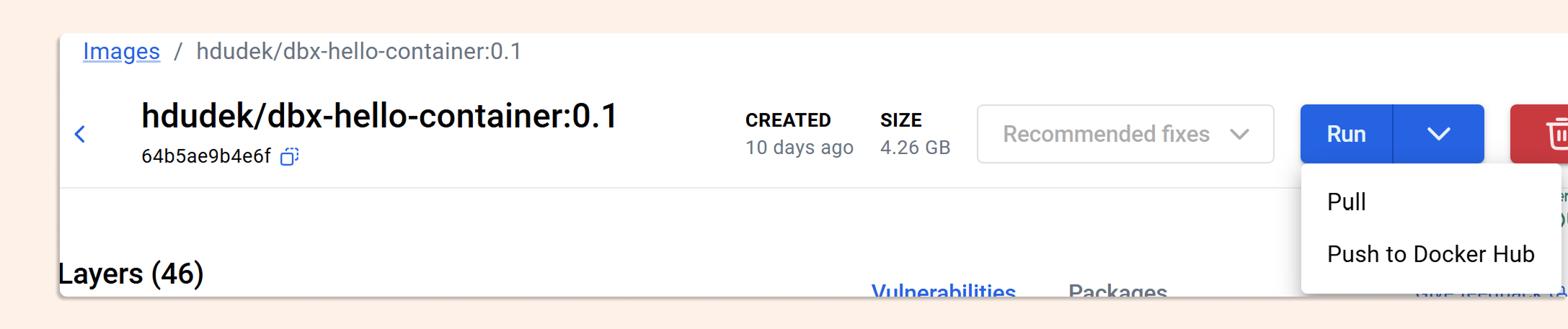
Push to a registry
Docker Hub requires a higher-tier plan for production use. Consider an alternative container registry if that's a constraint.
Enable custom containers in Databricks
databricks workspace-conf set-status --json '{"enableDcs": "true"}'
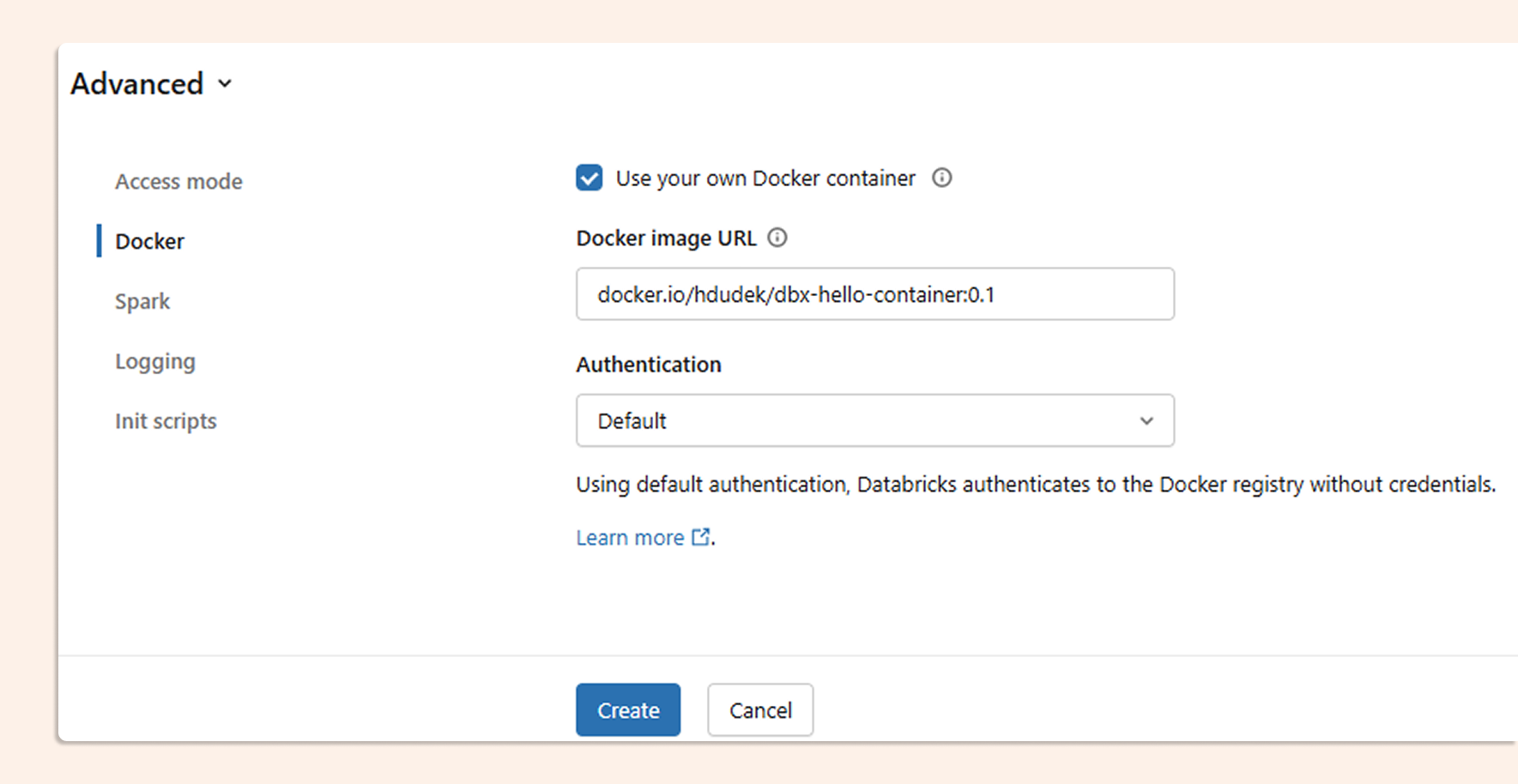
Then, in your cluster's Advanced Settings, set the Docker Image URL and set Access mode to Dedicated.
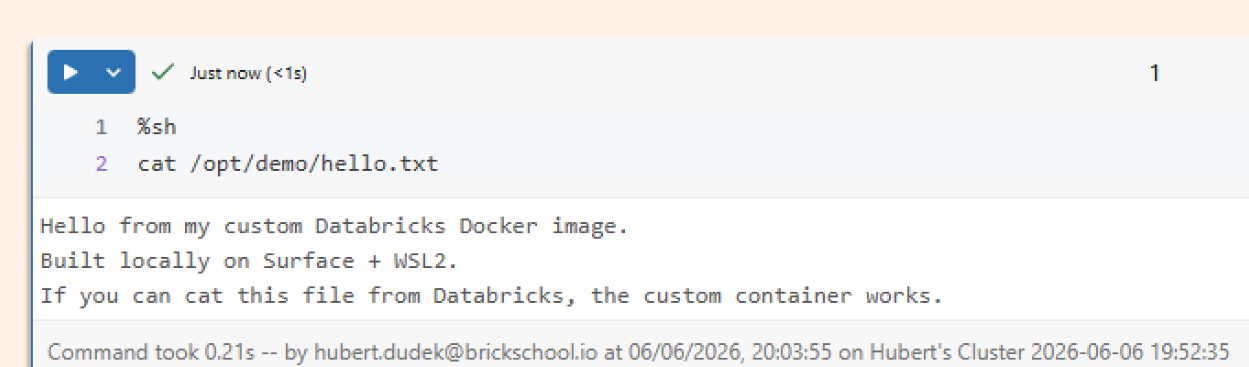
Verify on the cluster
Confirm the file you included in the image is accessible from a notebook:
And run the DuckDB command:
Nine Production Use Cases
1. Golden runtime for regulated environments
A custom container can serve as your team's approved runtime: labeled, built in CI, scanned, and promoted across environments. The image becomes the audit artifact.
FROM databricksruntime/standard:16.4-LTS

LABEL owner="data-platform"
LABEL purpose="approved-databricks-runtime-demo"
LABEL version="2026.05.27"
2. Run a native executable alongside Spark
DuckDB is a clean example because it's a native binary — not a Python package. You install it once in the image; every cluster that uses the image gets it.
ARG DUCKDB_VERSION=1.4.4

RUN curl -L \
  "https://github.com/duckdb/duckdb/releases/download/v${DUCKDB_VERSION}/duckdb_cli-linux-amd64.zip" \
  -o /tmp/duckdb.zip \
  && unzip /tmp/duckdb.zip -d /usr/local/bin \
  && chmod +x /usr/local/bin/duckdb \
  && rm /tmp/duckdb.zip
3. Use DuckDB to inspect files written by Spark
Spark writes the data:
df.write.mode("overwrite").parquet("file:/tmp/duckdb_demo/orders")
DuckDB inspects it directly, no additional setup:
%sh
duckdb -c "
select country, count(*) as rows, sum(amount) as total_amount
from read_parquet('/tmp/duckdb_demo/orders/*.parquet')
group by country
order by country;
"
4. Offline or restricted network environments
In air-gapped or restricted environments, clusters shouldn't be downloading arbitrary packages at runtime. The custom image ships everything the job needs: approved, versioned, and locked.
RUN apt-get update && apt-get install -y --no-install-recommends \
    jq \
    ripgrep \
    ca-certificates \
    && rm -rf /var/lib/apt/lists/*
5. CI/CD for the runtime, not just the code
Build and tag your runtime image the same way you build application code. Version it. Scan it. Promote it through environments.
docker buildx build \
  --platform linux/amd64 \
  -t hdudek/dbx-custom-container-fakers:2026.05.27 \
  --load .
6. Legacy system integration
Many enterprise pipelines depend on command-line tools, vendor utilities, or internal binaries that have no pip equivalent. The container is the right place for them.
COPY bin/dqcheck /usr/local/bin/dqcheck
RUN chmod +x /usr/local/bin/dqcheck
From a notebook:
%sh
dqcheck scan --input /tmp/duckdb_demo/orders --output /tmp/dq_report.json
cat /tmp/dq_report.json | jq .
Spark can then pick up the output:
report = spark.read.json("file:/tmp/dq_report.json")
display(report)
7. Add enterprise certificates once
Bake your company's root CA into the image. Every cluster that uses it inherits the trust chain automatically, no manual steps per environment.
COPY certs/company-root-ca.crt /usr/local/share/ca-certificates/company-root-ca.crt
RUN update-ca-certificates
8. Internal packages and private wheels
Pin an approved internal package version into the image. Anyone running the image gets the right version, no version drift, no runtime installs.
COPY dist/company_quality_rules-0.1.0-py3-none-any.whl /opt/wheels/
RUN /databricks/python3/bin/pip install --no-cache-dir \
    /opt/wheels/company_quality_rules-0.1.0-py3-none-any.whl
From a notebook:
from company_quality_rules import validate_table_name

validate_table_name("customer_orders")
9. Enterprise database drivers and client tools
Ship the client runtime in the image. Credentials stay out — they belong in secrets management, not the container.
RUN apt-get update && apt-get install -y --no-install-recommends \
    postgresql-client \
    unixodbc \
    && rm -rf /var/lib/apt/lists/*
TL;DR
Custom containers in Databricks aren't mainly about replacing pip install. They're about controlling the runtime.
You can start from different Databricks base images and build an approved environment with native tools, internal wheels, certificates, database clients, and validation utilities.
The result is a runtime that can be built in CI/CD, scanned, versioned, reused across jobs, and aligned with compliance and enterprise requirements.
Now you can treat your runtime as code.