Temp Tables Are Here, and They're Going to Change How You Use SQL
Temporary tables have arrived in Databricks SQL warehouses, bringing a powerful new approach to data engineering that bridges the gap between views and permanent tables.
“Temp table storage and Delta cache behavior are no different from a UC-managed Delta table; they are just temporary.”
“Temporary tables are another example of Databricks meeting SQL practitioners where they are, supporting legacy SQL workflows while still enabling modern Lakehouse.”
What makes Temp tables different?
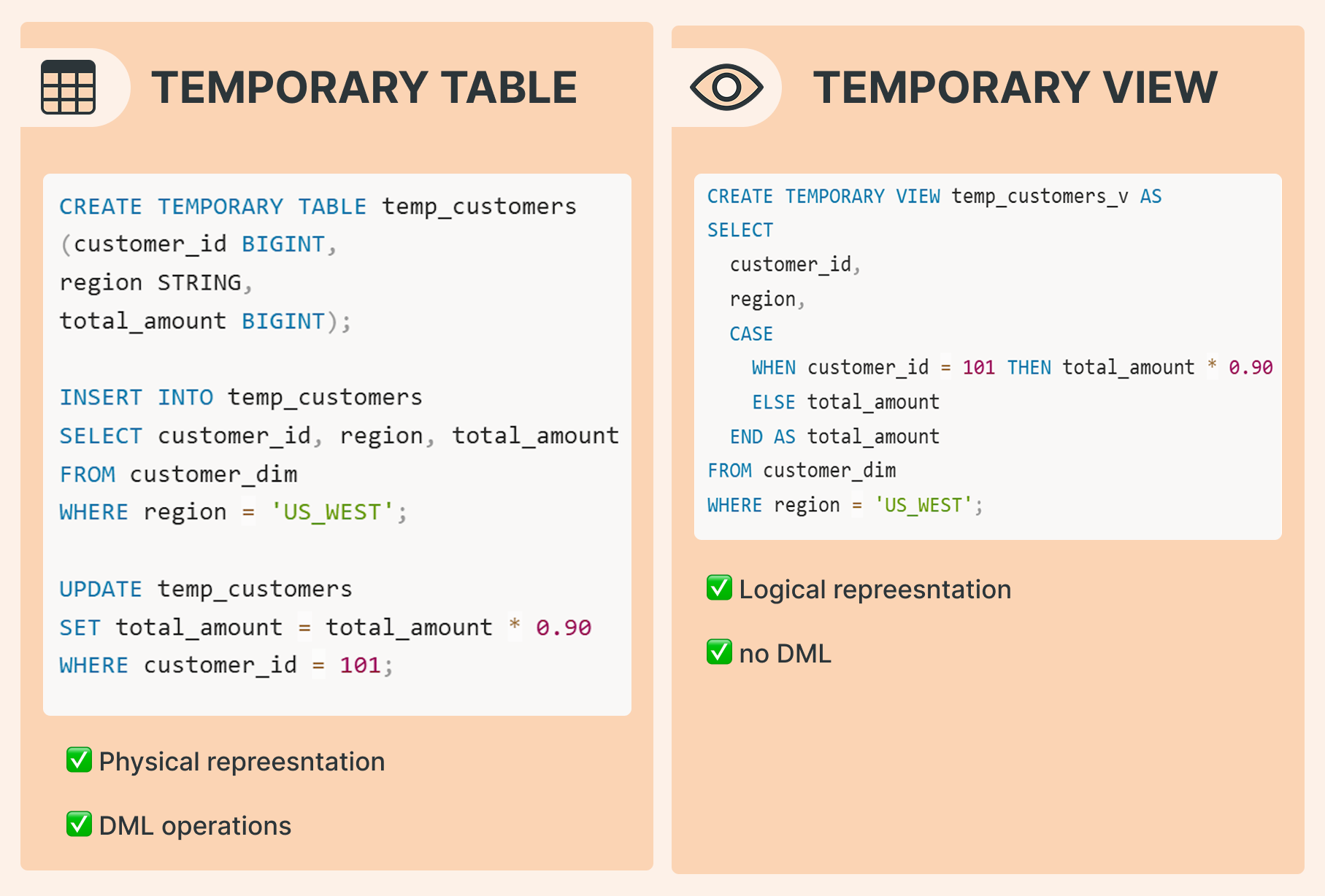
While views are logical representations that execute queries each time they’re called, temporary tables are materialized (they create actual physical data storage). This materialization is tied to your session and behaves like a regular Delta table, automatically cleaned up when the session ends.
Key Differences:
physical representation VS logical representation: Temp tables store actual data; views recompute every time
DML support: Temp tables allow INSERT, UPDATE, DELETE (soon), and MERGE operations
Here's an example of operations that are impossible with temporary views but straightforward with temp tables:
CREATE TEMPORARY TABLE temp_customers
(customer_id BIGINT,
region STRING,
total_amount BIGINT);

INSERT INTO temp_customers
SELECT customer_id, region, total_amount
FROM customer_dim
WHERE region = 'US_WEST';

UPDATE temp_customers
SET total_amount = total_amount * 0.90
WHERE customer_id = 101;
And once the data is prepared, you can merge it into your target table:
MERGE INTO customers AS t
USING temp_customers  AS s
ON t.customer_id = s.customer_id
WHEN MATCHED THEN
  UPDATE SET t.region = s.region, t.total_amount = source.total_amount
WHEN NOT MATCHED THEN
  INSERT (customer_id, region, total_amount) VALUES (s.customer_id, s.region, s.total_amount);
Important! All of the above operations occur within your session’s sandbox. No other sessions can query or modify temp_customers
Why this matters
For those familiar with Spark's lazy evaluation model, temp tables introduce an intermediate step that's both temporary and materialized. This is especially valuable before write operations in scenarios involving complex joins, updates, subqueries, and filters. By materializing intermediate results, you break the execution plan into manageable pieces.
Popular use cases
1. Simplify complex logic Break down complicated transformations into simple, testable steps to reduce errors and improve maintainability.
2. Optimize performance For heavy computations, it's often more efficient to materialize intermediate results rather than execute one massive Spark plan. This also makes debugging significantly easier.
3. Avoid redundant scans If you need to reuse results multiple times, materialize them into a temp table once instead of repeatedly scanning source tables.
Under the hood: it’s just Delta
Running DESCRIBE TABLE EXTENDED temp_customers; reveals that temp tables are regular Delta tables—just temporary ones. In the future, however, the format can change.
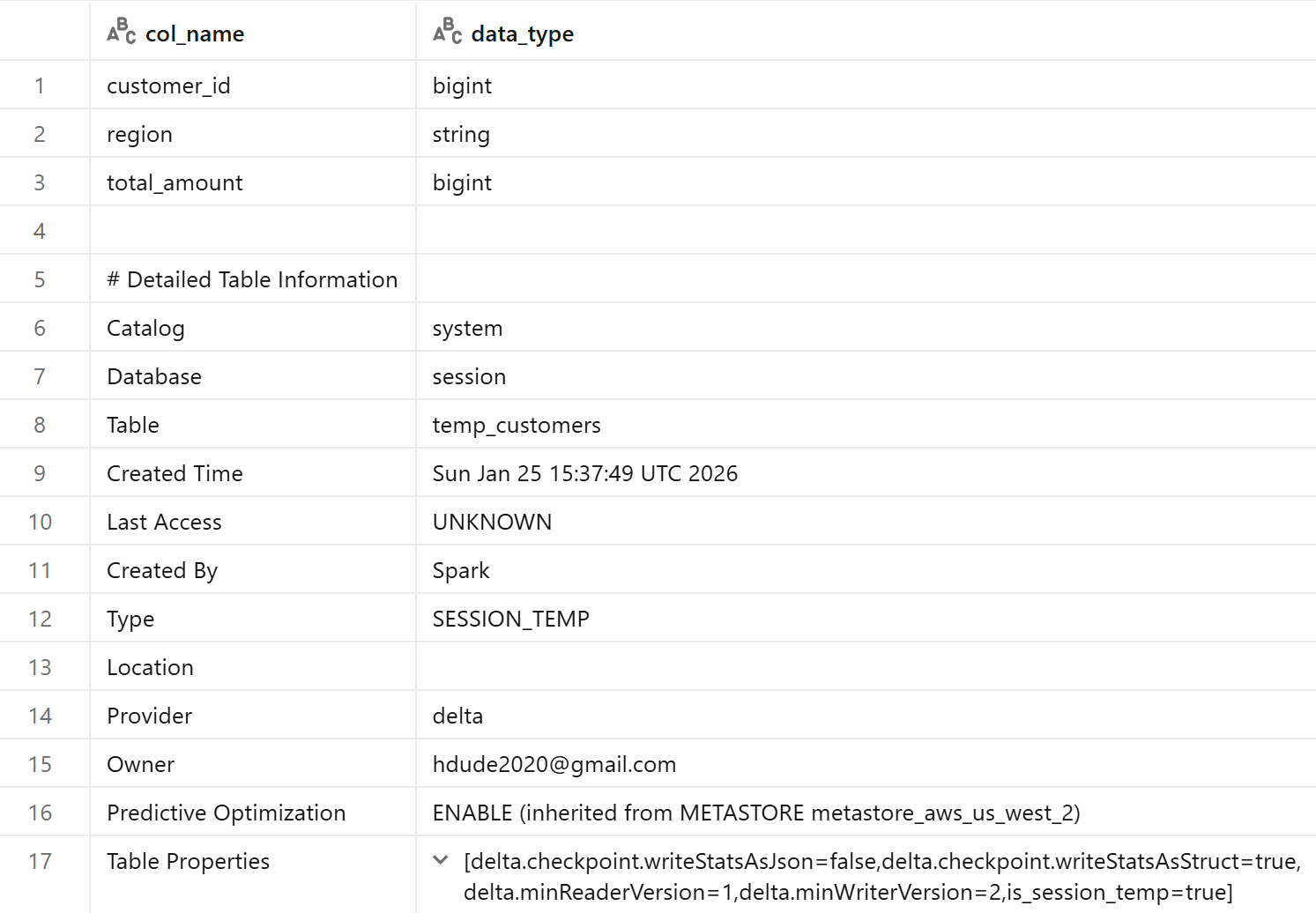
They support all Delta features and can persist for up to 7 days within a single session, though they're automatically dropped when the session ends.
You can also manually drop them:
DROP TEMPORARY TABLE IF EXISTS temp_customers;
Example use case: Ingestion
Temp tables shine during data ingestion, especially when dealing with messy incoming data:
CREATE TEMP TABLE temp_new_customers (name STRING, email STRING, signup_ts TIMESTAMP, referral_code STRING);
COPY INTO temp_new_customers
FROM 's3://bucket/new_customers.json'
FILEFORMAT = JSON;
Now you can clean the data before it reaches your bronze layer, for example, by fixing character encoding.:
UPDATE
	temp_new_customers
SET
	name = CONVERT_FROM(CONVERT_TO(name, 'ISO-8859-1'), 'UTF-8');
For more sophisticated validation, you could run data quality checks (like DQX quality frameworks) on the temp table before promoting clean records to your main tables.
Stored Procedures
Temp tables will become even more powerful when combined with stored procedures in Unity Catalog. This combination would create visible lineage while keeping transformation logic centralized.
CREATE OR REPLACE PROCEDURE sp_refresh()
LANGUAGE SQL
SQL SECURITY INVOKER
AS BEGIN

  CREATE OR REPLACE TEMPORARY TABLE tmp AS
  SELECT id, v*2 AS v2 FROM src;

  MERGE INTO tgt t
  USING tmp s
  ON t.id = s.id
  WHEN MATCHED THEN UPDATE SET t.v2 = s.v2
  WHEN NOT MATCHED THEN INSERT (id, v2) VALUES (s.id, s.v2);
END;
Later, once the procedure is created, we can just run:
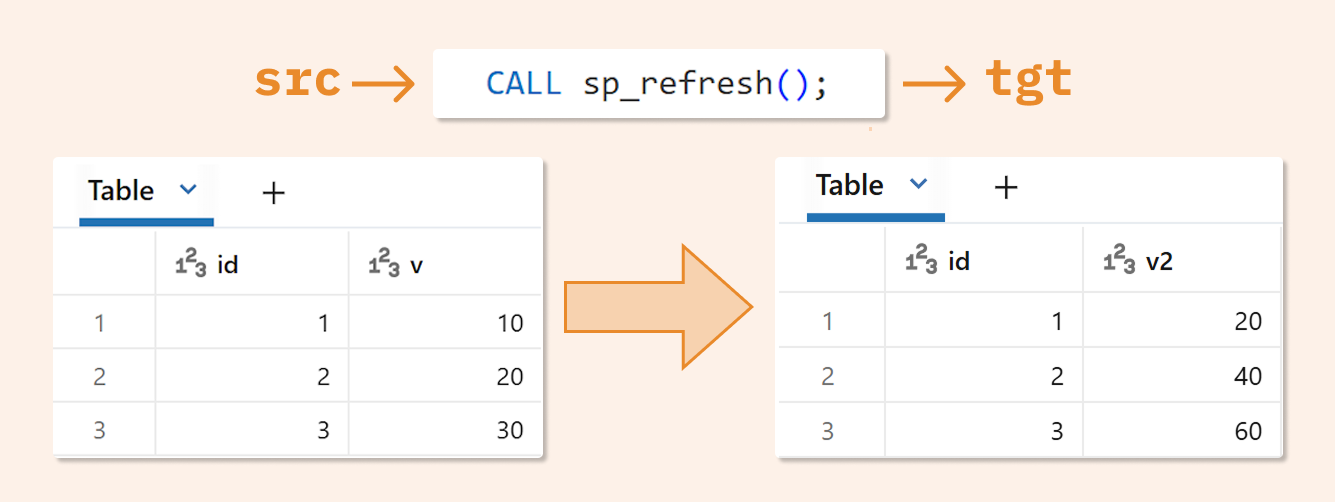
CALL sp_refresh();
And see the data in our target table:
SELECT * FROM tgt;
Important limitations
You need to DROP the temp table before recreating it, as CREATE OR REPLACE isn't yet supported for temporary tables (planned for later).
DELETE is not yet supported (planned for later).
ALTER TABLEoperations are not supported (planned for later),Time travel is not possible.
Cache behavior: What you need to know
They're always materialized in cloud storage while also utilizing Delta Cache. This has advantages in most scenarios, but understanding this behavior is crucial for effective data engineering.
This dual nature (cloud storage + cache) makes migrating legacy SQL code to Databricks significantly easier, as temp tables follow familiar patterns from traditional databases.
The author thanks Xinyi Yu and Kent Marten for their generous contributions to this article.