DABs direct mode: available, faster, and better.
Thanks to Kristóf Molnár and Matt Jones for your help in writing the article.
General availability
Databricks CLI and the direct engine for DABs are generally available, and new releases are coming so frequently that we have already passed 1.0. DABs now mean Declarative Automation Bundles, not Databricks Asset Bundles anymore.
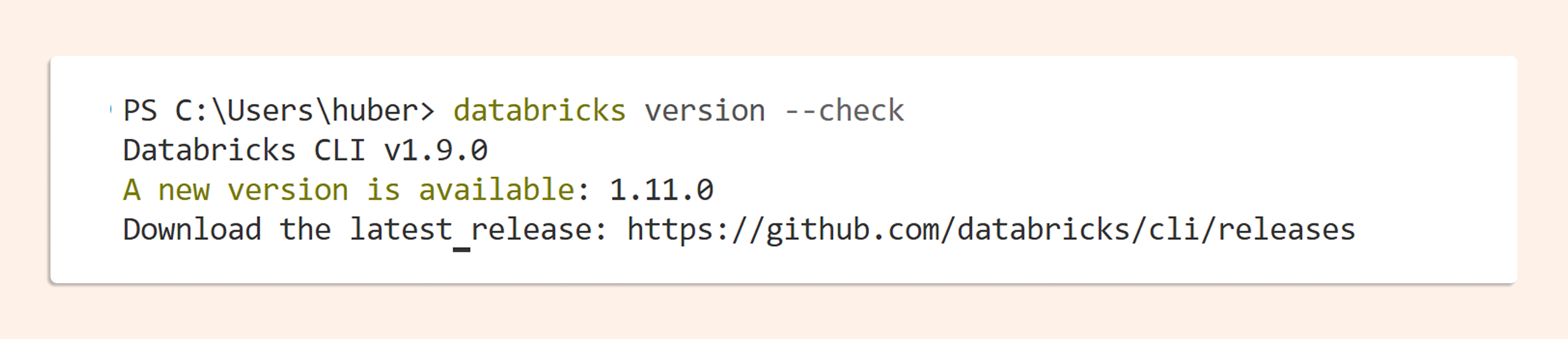
We also have a “–check” option in the CLI to check the latest version, and it almost always shows that my CLI is outdated.
Direct mode is GA and is now the default for bundles created from workspace (since 13th August 2026). It will become the general CLI default on 26th August 2026.
“Direct mode marks the next stage of Declarative Automation Bundles. By removing the Terraform dependency from bundle deployments, it delivers faster deployments, human-readable state, and replayable plans, while giving us a more direct path to supporting more, and eventually all, Databricks resources.
— Kristóf Molnár, Product Manager for Declarative Automation Bundles, Databricks
Direct Mode
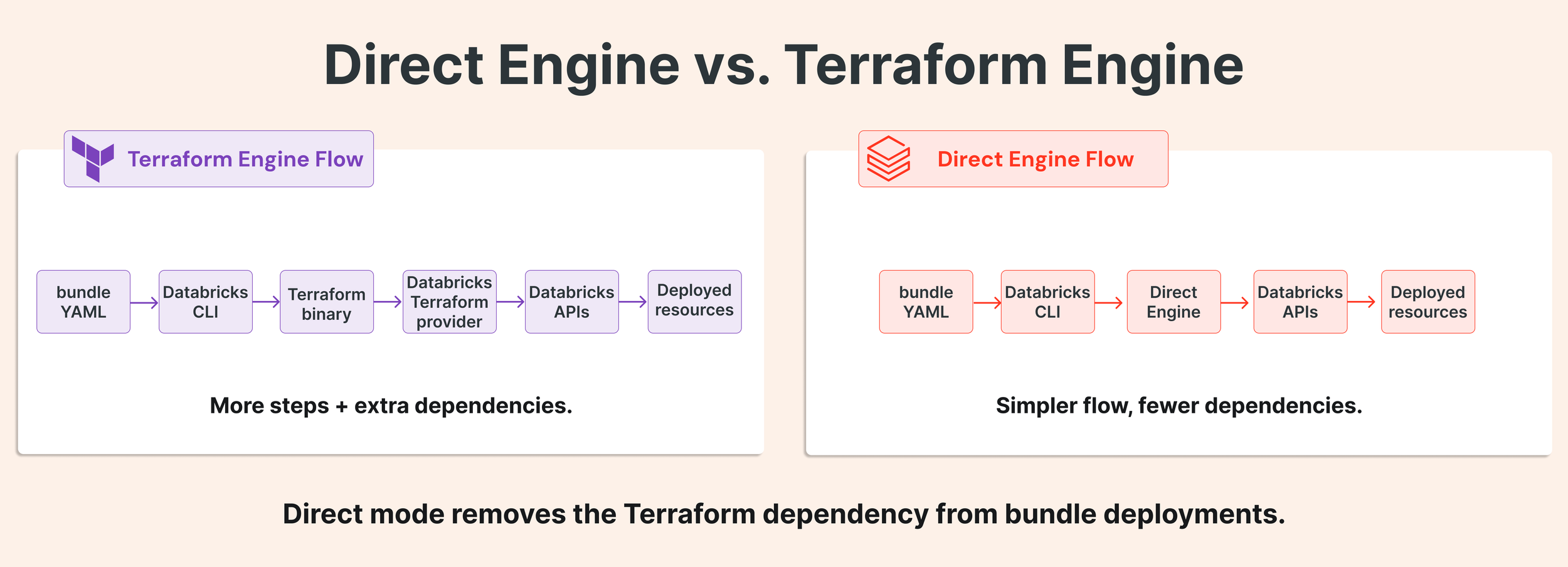
For a long time, DABs were just a framework around the Databricks Terraform provider to deploy assets. The Direct Engine communicates directly with the API, maintains its own state, offers several benefits, and solves a couple of common problems.
The main benefits are:
Human-readable JSON state and detailed, replayable plans.
Faster deployments.
Simpler setup in restricted enterprise environments.
Immutable folders.
More supported resources and faster support for new resources.
Removing the TF dependency enables shipping faster.
Previously, support for a resource had to be available through the API, then in the Terraform provider, and after that in DABs. Removing the Terraform dependency enables Databricks to add resource support to DABs faster. Terraform still has an important role. You can use Terraform for cloud-level and external resources, while using DABs for Databricks resourcesFast deployment
Bundle deployment time is now up to 40% faster with direct engine than with Terraform.Terraform problem.
Terraform changed the license in 2023 to a Business-type license, but for most users, the biggest problem was downloading the library in several enterprise environments. Hashicorp.com or terraform.io was often blocked by firewalls. Additionally, the installation process took a long time.
How to get started with DABs direct mode
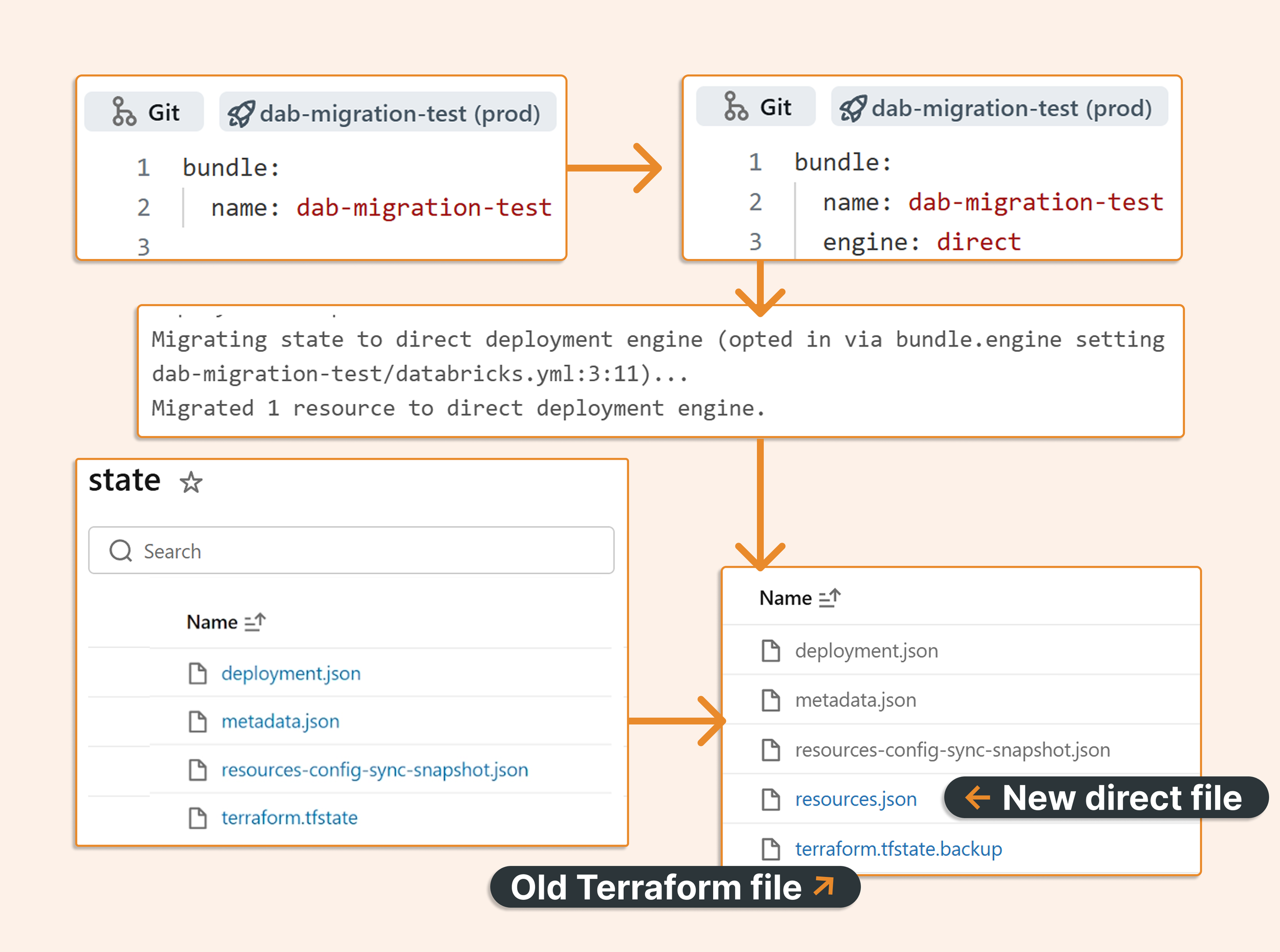
Direct mode is now the default in bundles in the workspace. Setting bundle.engine: Terraform now emits a deprecation warning. If you have DABs with an old Terraform state, then starting with CLI 1.8.0, adding engine: direct is enough to back up the old state and create a new one.
State
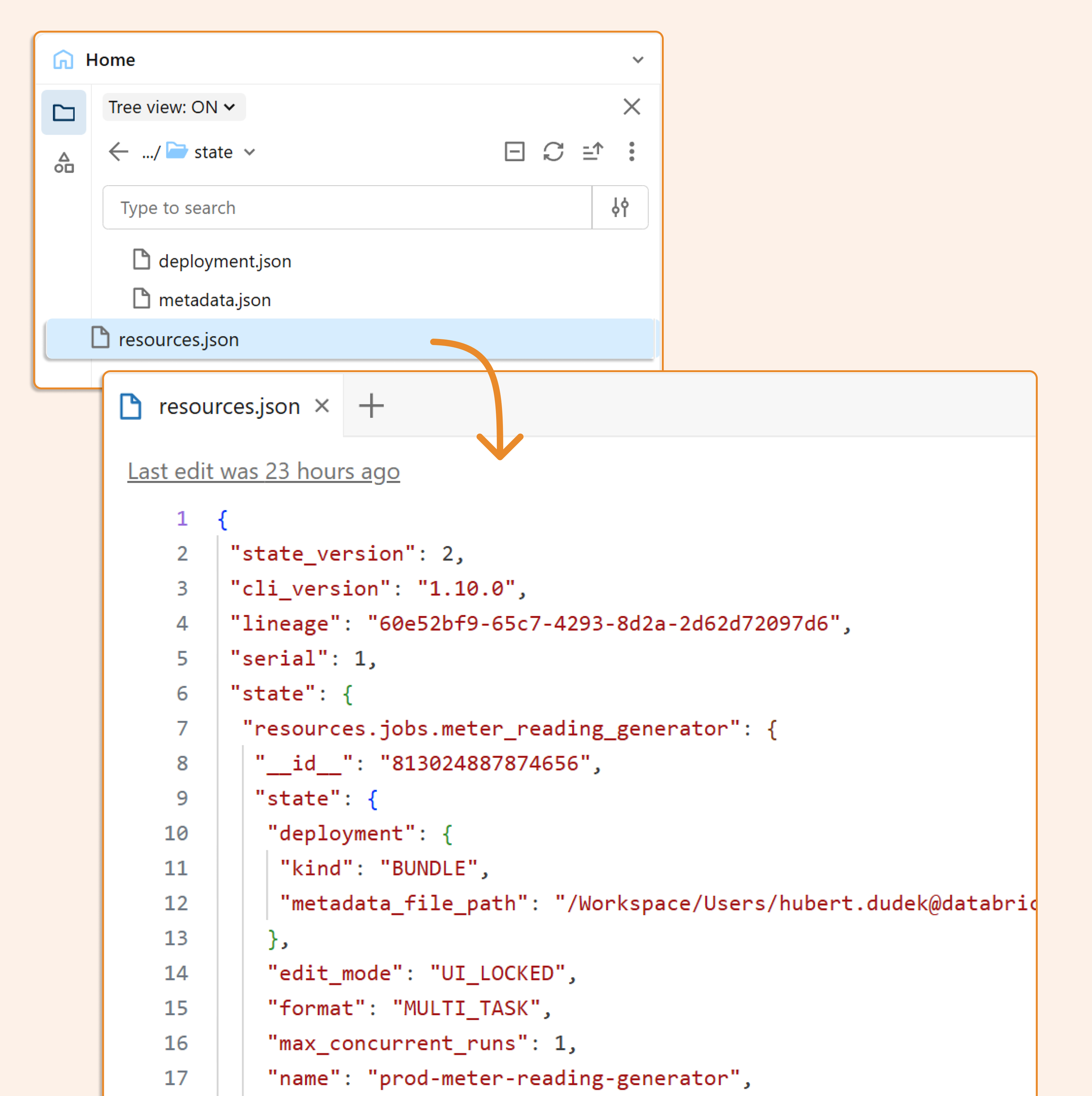
The old terraform.tfstate is backed up, and we got a new human-readable resources.json. Below is an example of resources.json
Plans
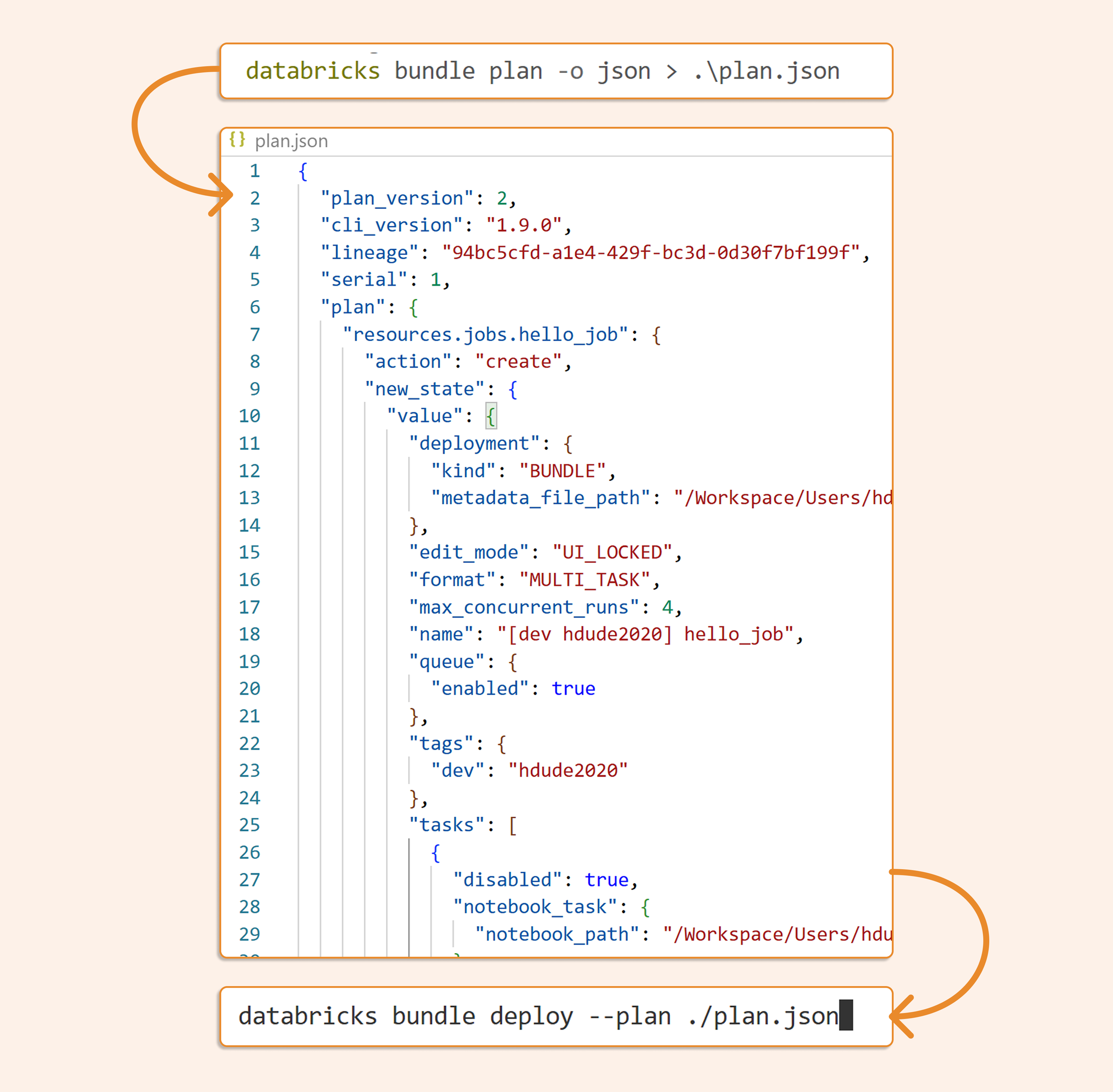
Additionally, we can implement a proper CI/CD flow: when we open a PR, we can generate a plan and review it. Once accepted, the plan can be deployed.
If we specify:
“databricks bundle plan -o json > .\plan.json” we can generate a plan that we can review and later deploy with “databricks bundle deploy”
Immutable folder
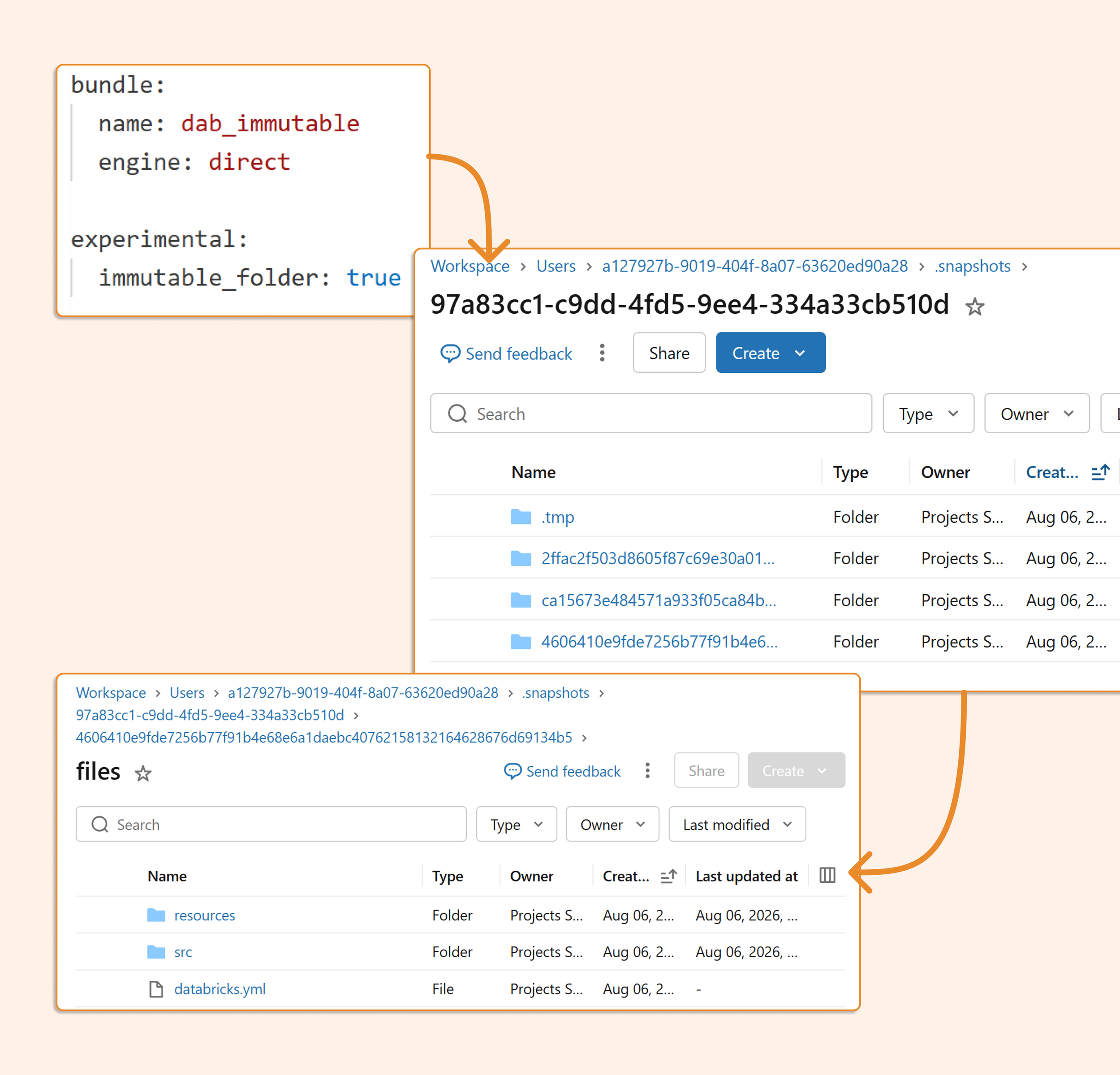
If you deploy your code in an infrastructure-style deployment, where your CI/CD pipeline copies files from Git (the most popular deployment method), you can use a read-only, immutable folder and be sure the deployment will not break the running job. Actually, running jobs will continue using the previous snapshot, and all new runs after deployments will use new snapshots. Of course, if you use your job reference git commit as the source of your task, it doesn’t matter. You can specify it by using “experimental: immutable_folder: true”. The option is now in private preview and supports deployments up to 10 MB and 1,000 files.
New resources
Thanks to direct mode, we have a lot of new resources: catalogs, external locations, vector search indexes, but below I will mention 2 newest ones, which are the two that made me happiest:
Instance pools
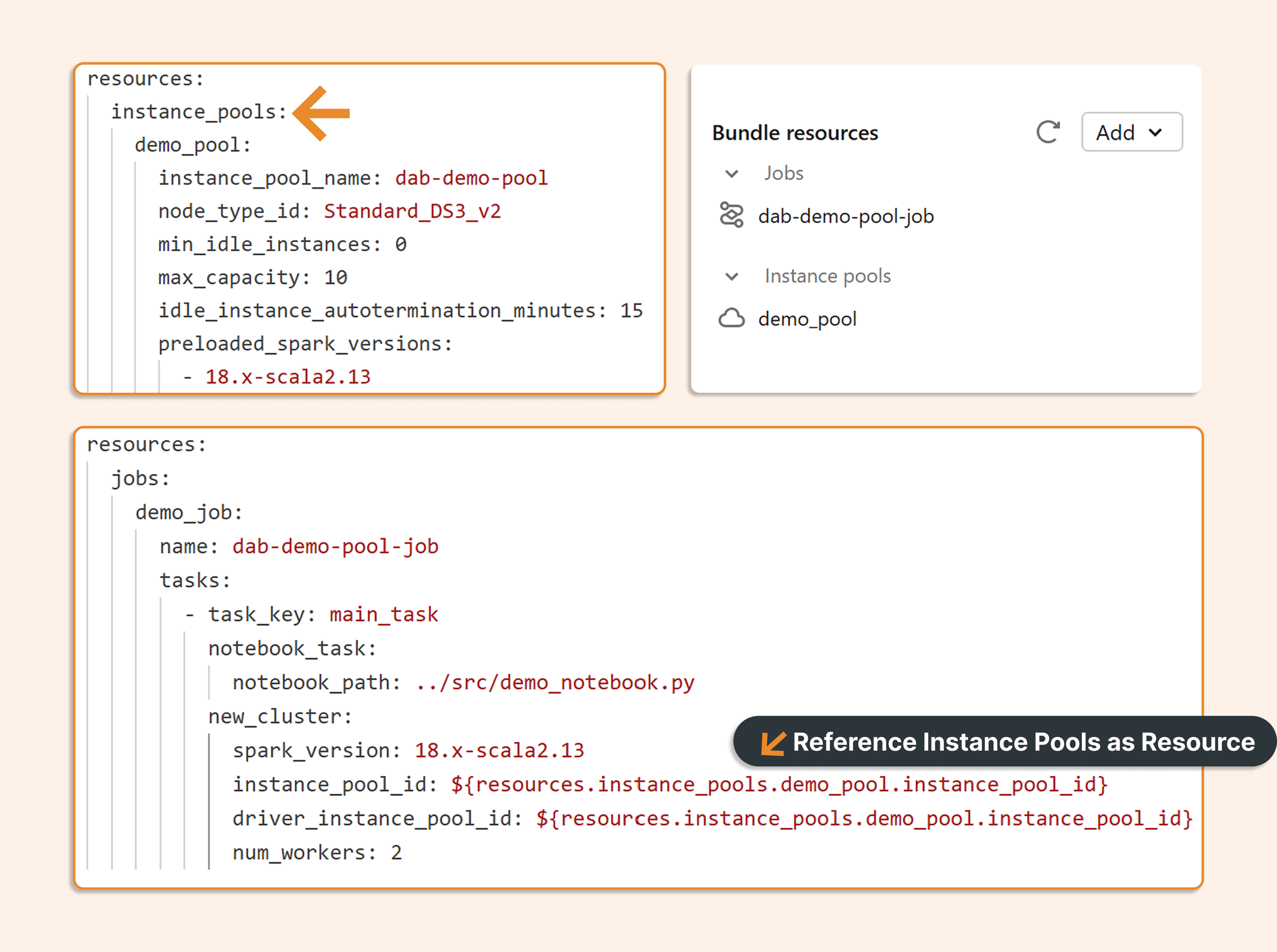
If you use classic compute, you are waiting for instance pools in DABs. Instance pools are now available in direct mode. They can be referenced with ${resources…} substitutions from compute resources.
Genie Agents
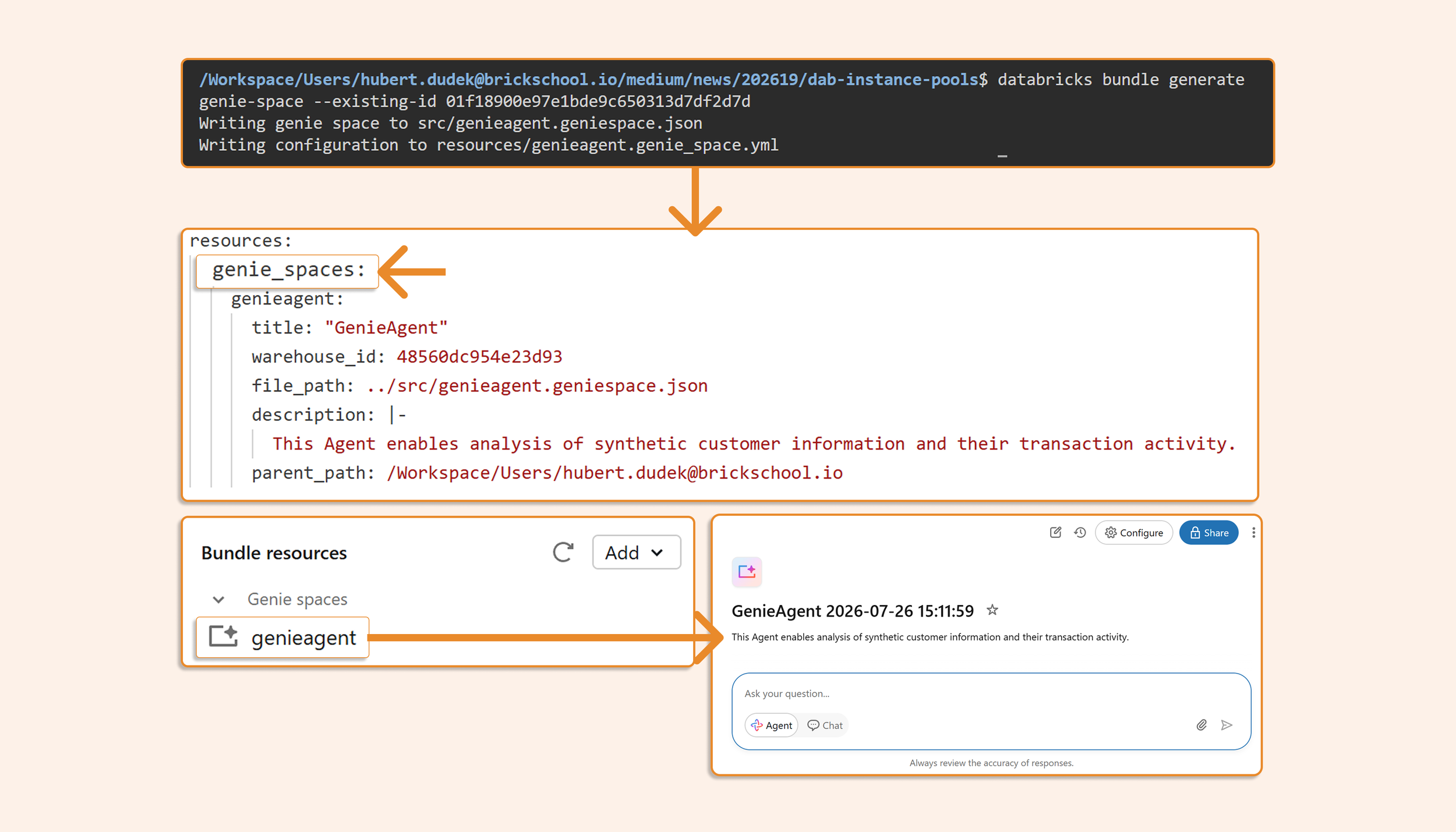
First, run “bundle generate genie-space –existing-id <id>” to export your existing Genie Agent as a bundle. Once geniespace.json is saved, you can deploy it with DABs.
Sync back to DABs
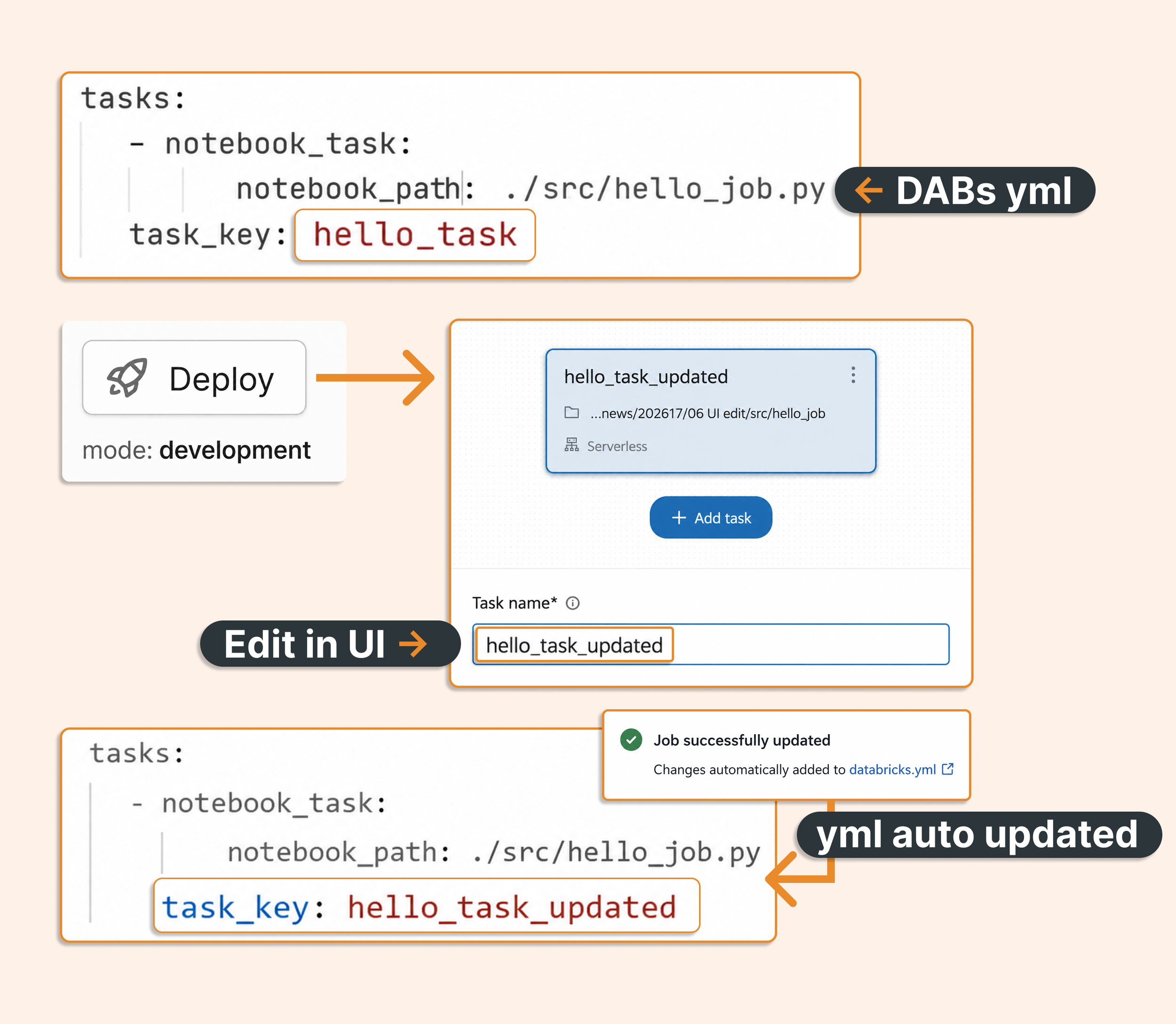
Lastly, when working from the web experience in development mode with source-linked deployment set to true (the default for development mode), you can edit jobs and pipelines in the UI, and changes are automatically propagated to your YML files. So it is like the best of two worlds: low-code and IaC. Of course, please remember to review any changes in Git, especially non-UI elements such as variables or mutators.
What’s next:
The Terraform engine is scheduled to be disabled in September 2026.
More and more resources will be under DABs as it becomes Databricks’ standard for anything you need to deploy.
Integration with ZeroOps, deployment history, state not in files but in a database, and other additions.
TL; DR
New bundles use the direct engine by default. For existing bundles, add engine: direct; with CLI 1.8 or above, the CLI can migrate them automatically. Direct mode removes the Terraform dependency from bundle deployment and adds faster deployments, better plans, more resources, and immutable folders.