Managing Databricks CLI Versions in Your DAB Projects
Version inconsistency is one of the most overlooked causes of deployment failures in Databricks Asset Bundles (DABs). Picture this: you're running Databricks CLI v0.268, your coworker is on v0.260, and your CI/CD runner has v0.270 installed. Sound familiar? This version sprawl creates unpredictable behavior and unstable deployments.
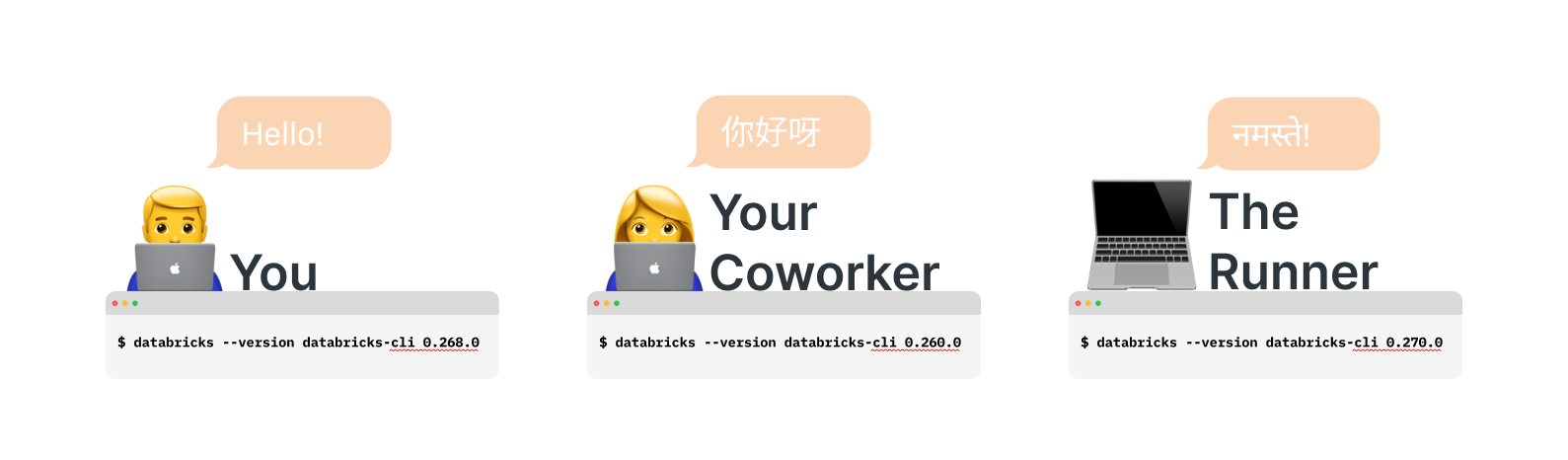
The hidden cost of version drift
Databricks releases new versions of the CLI frequently, as documented at https://github.com/databricks/cli/releases. Recent additions include useful variables like ${workspace.current_user.domain_friendly_name}. However, when team members use different CLI versions, code that works on your machine may fail for colleagues or in production.
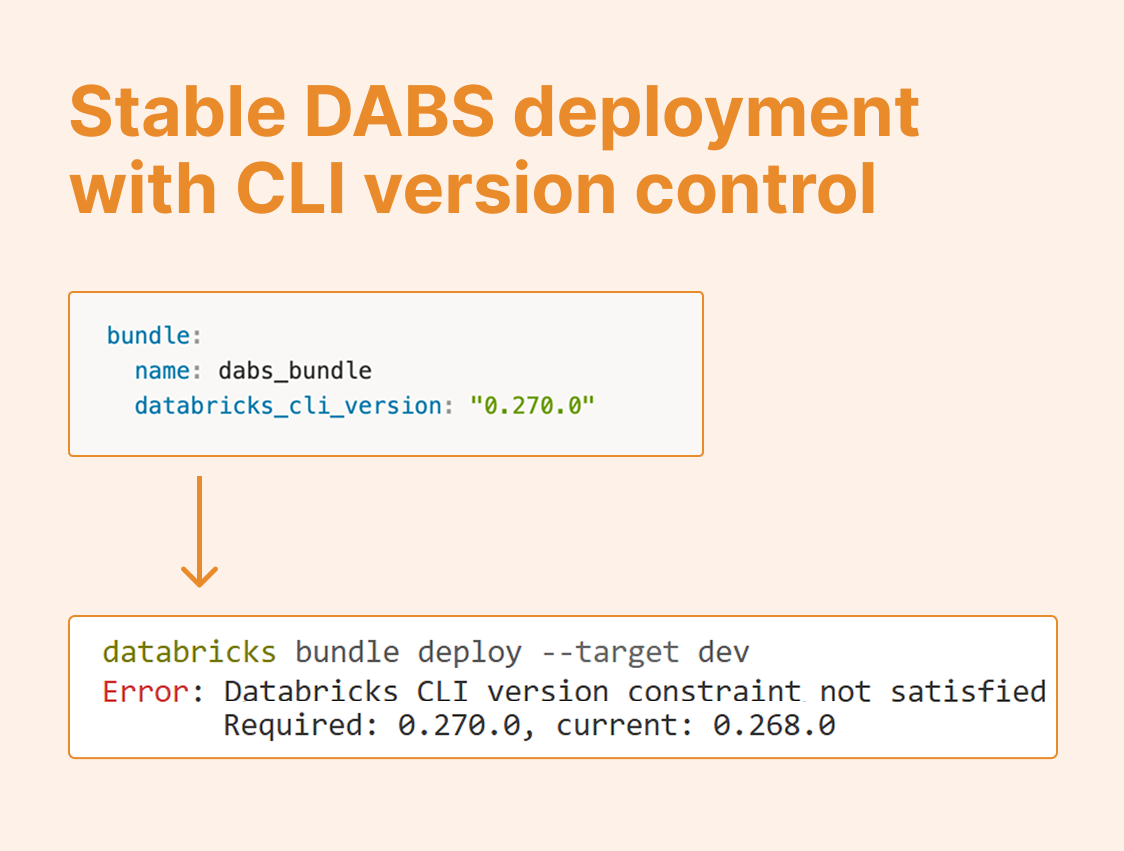
Beyond incompatibility, the real challenge is unpredictability. You can't reliably forecast how older CLI versions will handle features they don't support, leading to silent failures or cryptic error messages such as this during deployment:

Solution: Enforce version requirements in your bundle
Approach 1: Set a minimum version The simplest safeguard is specifying a minimum CLI version in your databricks.yml
bundle:
  name: dabs_bundle
  databricks_cli_version: ">= 0.270.0"
This approach ensures everyone uses at least the required version while allowing automatic minor updates.
Approach 2: Lock to a specific minor version (good for Production environments) For production environments where stability is paramount, lock to a specific minor version:
bundle:
  name: dabs_bundle
  databricks_cli_version: "0.270.*"
This configuration allows patch updates (e.g., 0.270.1 to 0.270.2) while preventing potentially breaking changes from minor version bumps.
When attempting deployment with an incompatible version, you'll receive a clear error message preventing the deployment from proceeding, such as:

Automating version management in CI/CD
The key to maintaining version consistency is synchronizing your CI/CD pipeline with your bundle configuration. Here's how to automatically extract and use the correct CLI version in GitHub Actions:
- name: Extract Databricks CLI version
  id: cli_version
  run: |
    echo "version=$(yq '.bundle.databricks_cli_version' databricks.yml | tr -d \"'\")" >> $GITHUB_OUTPUT

- name: Setup Databricks CLI
  uses: databricks/setup-cli@main
  with:
    version: "${{ steps.cli_version.outputs.version }}"
This workflow parses your databricks.yml file, extracts the version requirement, and installs the appropriate CLI version on your runner, ensuring perfect alignment between your code and deployment environment.
Alternative: GitHub Variables
For teams that prefer centralized configuration management, storing the CLI version as a GitHub variable offers easier updates across multiple repositories without code changes.
Best practices:
In summary, the best practices to manage your Databricks CLI Versions are:
Always specify a CLI version in your
databricks.ymlto prevent version-related deployment failuresUse minimum versions (
>= x.y.z) for development flexibilityLock to minor versions (
x.y.*) in production for stabilityAutomate version synchronization between your bundle configuration and CI/CD pipelines
Document version requirements in your project README for new team members
Version management might seem like a minor detail, but it's fundamental to reliable Databricks deployments. Take a few minutes to configure version requirements and automate their enforcement, and you'll eliminate an entire class of frustrating deployment issues.
Keep your DABs stable, your deployments predictable, and your team productive!